Translator earbuds earn their price if you travel often, want translation playing privately in your ear, or have long one-to-one conversations. For an occasional trip, ordering food or a chat at a table, a free phone app is enough, and Google Translate's listening mode already plays translations through headphones you own. If you have recent AirPods with an iPhone 15 Pro or later, or Pixel Buds with an Android phone, try their built-in translation before you buy anything.
Translator earbuds are wireless earbuds paired with a translation app on a smartphone. The earbuds pick up speech and play the translation in your ear, while the phone app does the translating, usually over the internet, with offline packs for a smaller set of languages. Dedicated models such as the Timekettle W4 Pro list at about $449 and let each person wear one earbud.
Mainstream earbuds now have the feature too: Apple's Live Translation works on AirPods Pro 2 and later with an iPhone 15 Pro or newer, and Google's works on Pixel Buds with a Gemini-compatible Android phone. Translator earbuds suit frequent travelers and long one-to-one conversations. For occasional use, a free phone app gives a similar translation, because the app does the work either way. Neither is a substitute for a professional interpreter in a medical or legal conversation.
How translator earbuds work
The earbuds don't translate anything themselves. They're a microphone and a speaker in your ear, connected over Bluetooth to an app on your phone, and the app turns speech into text, translates it and reads the result aloud. Notebookcheck's review of the Timekettle W4 Pro puts it plainly: the earbuds don't replace a smartphone for interpreting.
Most systems offer some mix of three ways to talk:
- One earbud each: you hand the other person an earbud, and each of you hears the other in your own language. Timekettle's One-on-One mode works like this.
- Your earbuds, their phone speaker: you hear their words translated in your ear, and your replies play from the phone's speaker or show on its screen. Apple's Live Translation and Google's conversation mode work this way when the other person has no earbuds.
- Listening only: you hear a translation of what's said around you, like a tour guide or an announcement, and nobody hears you.
What to check before you buy
- Your phone: built-in translation is tied to the platform. Apple's needs an iPhone 15 Pro or later on iOS 26 with Apple Intelligence turned on. Google's needs a Gemini-compatible Android phone. SoundGuys says Samsung's Interpreter on the Galaxy Buds3 Pro works with a Samsung phone.
- Your languages: check both of your languages are supported before you pay. Apple says some features may not be available in all regions or languages.
- Internet: plan on needing data abroad. Offline modes cover fewer languages: Notebookcheck counted 13 offline on the W4 Pro against 40 online.
- Running costs: in its December 2024 review, Notebookcheck found the W4 Pro came with 300 free translation minutes a month, after which you buy minute packs in the app. Extra offline language packs for the W4 Pro cost about €11 each, and its app needs an account.
- Who wears what: handing an earbud to a colleague is fine. Handing one to a shopkeeper is awkward, and if they say no, your half of the conversation goes back to the phone.
- Noise: reviewers and makers both warn about it. SoundGuys says Samsung's Interpreter "definitely prefers quieter environments", and Apple suggests moving the iPhone closer to the speaker when it's noisy.
Translator earbuds compared, with prices
These are list prices as SoundGuys gave them in February 2026. Retailers often sell for less, so check before you buy.
| Option | List price | Needs | Worth knowing |
|---|---|---|---|
| Timekettle W4 Pro | $449 | Timekettle app and an account | 40 languages online, 13 offline; monthly free minutes, then paid packs |
| AirPods Pro 3 | $249 | iPhone 15 Pro or later, iOS 26 | Live Translation is in beta; also on AirPods Pro 2, AirPods 4 (ANC), AirPods 5 and AirPods Max 2 |
| Pixel Buds Pro 2 | $229 | Gemini-compatible Android phone | Uses Google Translate; language packs for offline use |
| Galaxy Buds3 Pro | $249.99 | Samsung phone | Interpreter shows both speakers' words on the phone |
| EarFun Air Pro 4+ | $99.99 | Phone | Translation arrived in a firmware update |
| Google Translate with headphones you own | Free | Android or iPhone | Listening and conversation modes play through connected headphones |
Timekettle W4 Pro: for frequent business travel
Timekettle makes dedicated interpreter earbuds, and SoundGuys picked the W4 Pro as its top choice. Timekettle claims a 0.2-second response time. Notebookcheck's test in December 2024 was less kind: the translation lost track of context, switched between the formal and informal "you" in German mid-conversation, and treated pauses inside a sentence as the end of it. Its verdict was that the package is too expensive for what it offers, though updates since then may have changed some of that.
It suits someone who has long one-to-one meetings with a partner happy to wear an earbud.
AirPods: for iPhone owners who already have a pair
If you own AirPods Pro 2 or later, AirPods 4 with noise cancellation, AirPods 5 or AirPods Max 2, you may already have translator earbuds. Apple's Live Translation hears the other person and plays the translation in your ear.
When you reply, the Translate app shows a transcript or plays your words through the iPhone speaker, and if they wear supported AirPods too, they hear you in their language. Apple says that once the language models are downloaded, all processing happens on your iPhone. The feature is still labelled beta, and Apple warns that its outputs "may be inaccurate".
Pixel Buds and Gemini headphones: for Android owners
Google's help page says translation works on Android phones with Pixel Buds and other headphones made for Gemini, using the Google Translate app. Press and hold a bud, or say "Hey Google, translate for me", to hear speech translated in your ear. In conversation mode your words play from the phone's speaker and the other person's play in your earbud. It needs internet, though you can download language packs for offline use.
Galaxy Buds3 Pro: for Samsung phone owners
Samsung's Interpreter mode works with a Samsung phone, which shows a transcript for both speakers. SoundGuys found it isn't instant and works best somewhere quiet.
Budget earbuds: for trying the idea cheaply
Cheaper earbuds are adding translation too. The EarFun Air Pro 4+ got face-to-face and real-time translation modes in a firmware update, and SoundGuys says those aren't as advanced as dedicated interpreter earbuds. Treat translation as a bonus on a budget pair, not the reason to buy it.
A free app and the headphones you have: for most occasional trips
Google Translate's live translate is free on Android and iPhone. In listening mode you connect headphones and hear real-time translations, and in conversation mode the translations play through the phone speaker or your headphones. That's most of what the earbuds do, without the purchase. Our guide to Google Translate's conversation mode walks through each mode.
When a phone app is enough, and when earbuds earn their price
A phone app is enough for a one-off trip, ordering food, asking directions or checking in at a hotel. It's also enough for a sit-down conversation, where a split screen lets each person read their own language. Our guide to using a conversation translator face to face covers the setup and the etiquette.
Earbuds earn their price if you travel for work, have conversations while walking where holding up a phone is awkward, or meet the same person for long sessions. They also help when you need the audio to stay private.
Neither should carry a conversation alone when a mistake matters. At a doctor's appointment, a hospital or a legal meeting, ask for a professional interpreter, which is often free. Our article on talking to a doctor in another language explains how. Whatever you use, repeat numbers, dates and names, and check them on screen.
On an iPhone and comparing apps rather than earbuds? Our list of real-time translator apps for iPhone covers what each one does well. Planning an international trip? Our guide to picking a translation app for travel compares what to use for menus, signs and conversations, while our breakdown of a translator app for Japan covers train signs and etiquette where earbuds fall short.
Where Clawmium Translate fits
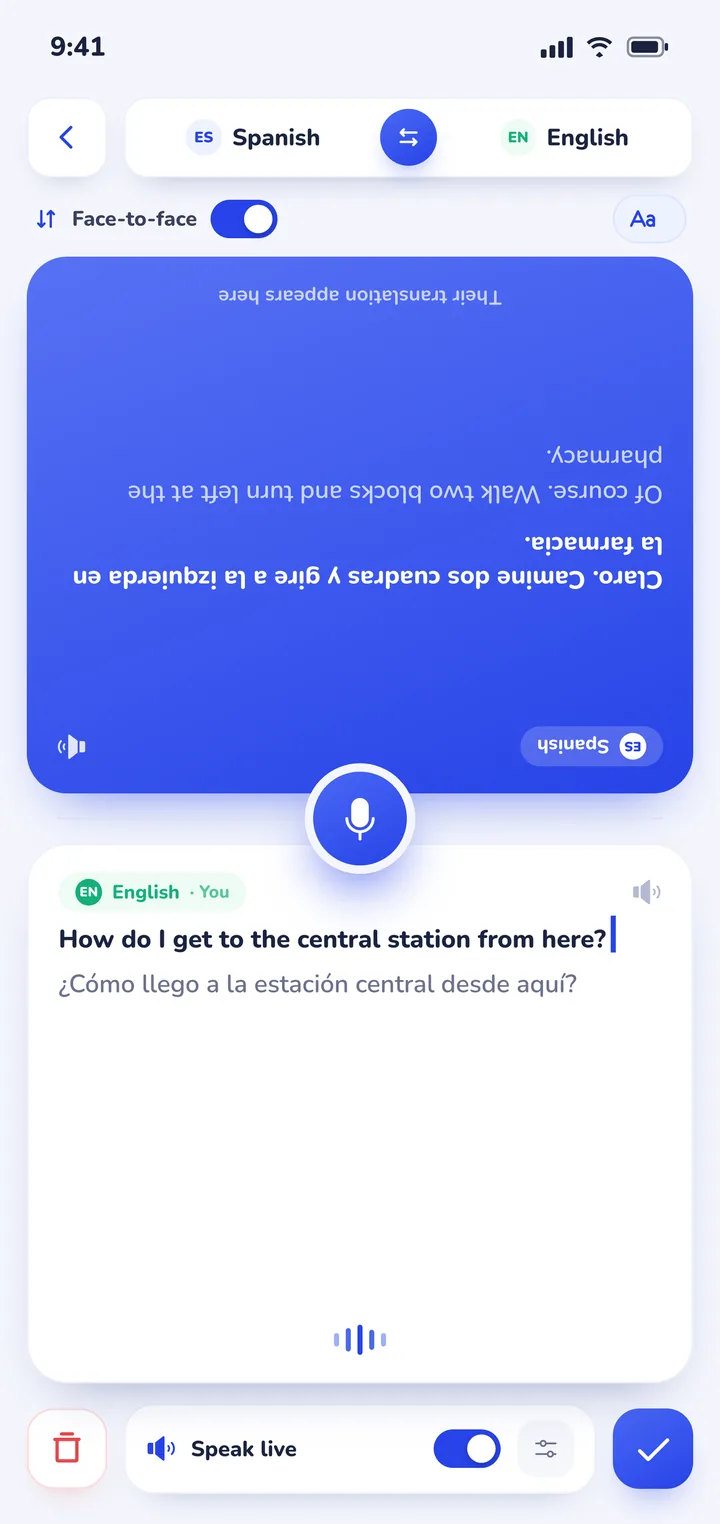
Clawmium Translate is our app, so weigh this section with that in mind. It's a phone app, not earbuds, and it doesn't have an earbud mode. It's built for the conversation at a table: conversation mode splits the screen so each person reads their own language, and it works out which of your two languages is being spoken. Translations can be read aloud, with a different voice for each speaker.
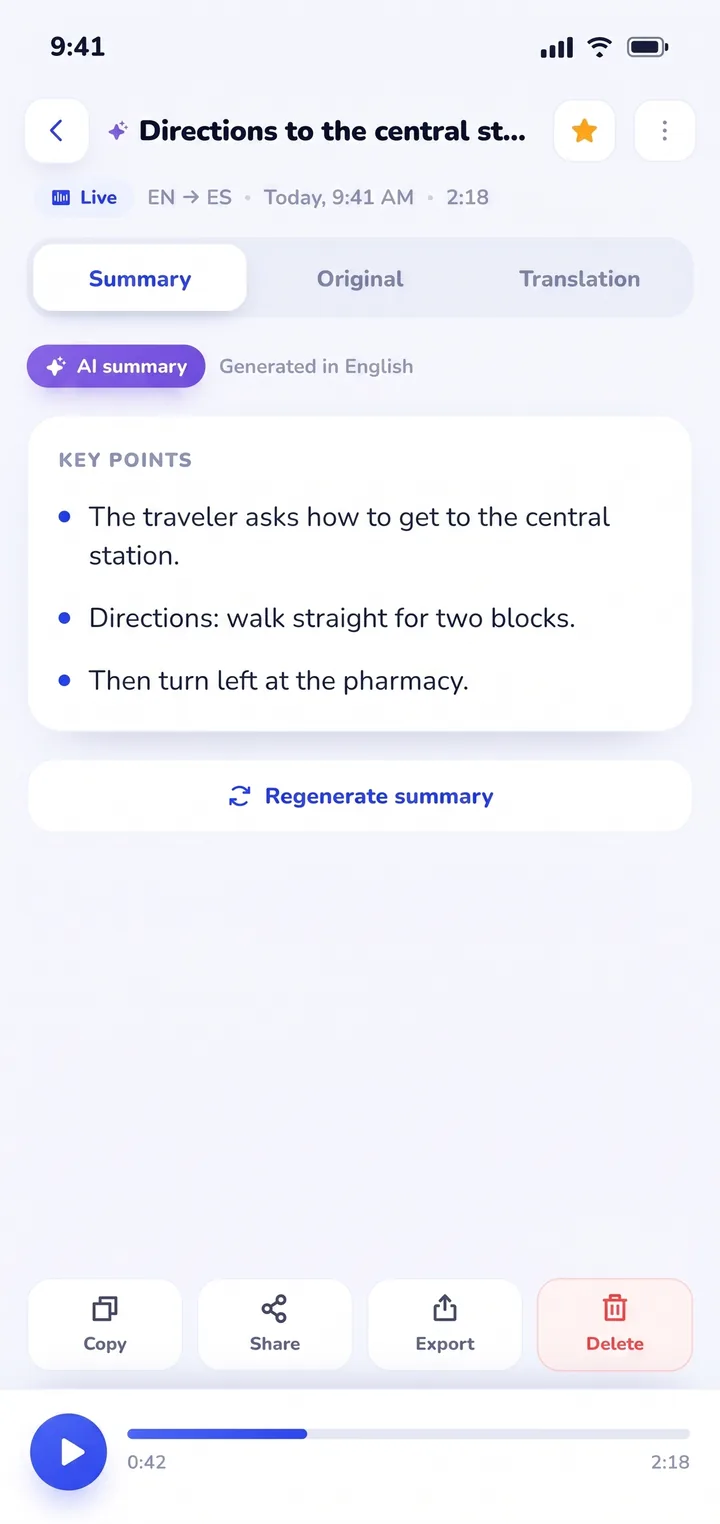
What it adds over earbuds is a record. Every session is saved on your phone with the transcript in both languages and an AI summary, titled automatically, searchable and shareable. That helps when you need to check later what a landlord, a host family or a colleague said.
It's free to download with a daily allowance and no ads, and Pro raises the limits. It supports more than 60 languages, runs on Android and iPhone and needs an internet connection. If you want translation playing privately in your ear while you walk around, AirPods or Pixel Buds with their built-in translation will suit you better.


Sources
- Apple Support, Use Live Translation with your AirPods, checked 3 November 2026.
- Google Pixel Buds Help, translate with Google Translate on your headphones, checked 3 November 2026.
- Google Translate Help, Hear live speech to speech translations with live translate, checked 3 November 2026.
- Tom Triggs, SoundGuys, The best translation earbuds in 2026, 5 February 2026, checked 3 November 2026.
- Christian Hintze, Notebookcheck, Timekettle W4 Pro tested, 1 December 2024, checked 3 November 2026.
Frequently asked questions
Do translator earbuds really work?
They work for short, simple exchanges in a quiet place, such as directions or ordering. Reviewers report trouble with background noise, long sentences and pauses in the middle of a sentence, so check anything important on the phone's screen.
How much do translator earbuds cost?
List prices run from about $100 for budget pairs with a translation feature to $449 for the Timekettle W4 Pro. AirPods Pro 3 list at $249 and Pixel Buds Pro 2 at $229, and both include translation if your phone supports it.
Do translator earbuds need a subscription?
Some do. Notebookcheck found the Timekettle W4 Pro includes 300 free translation minutes a month, then sells minute packs in its app. Apple's and Google's help pages don't list a fee for their built-in translation.
How do I translate a conversation with AirPods?
On an iPhone 15 Pro or later with iOS 26 and Apple Intelligence on, download your languages in the AirPods settings, then press and hold both stems or start Live Translation from the Translate app. You hear the other person in your language, and your replies show as a transcript or play through the iPhone speaker.
Can I use regular headphones with Google Translate?
Yes. Connect your headphones before you open live translate in the Google Translate app. Listening mode plays real-time translations through them, and conversation mode can use them too.
Try a conversation before you buy earbuds
Free to start. 60+ languages. Each person reads their own language.