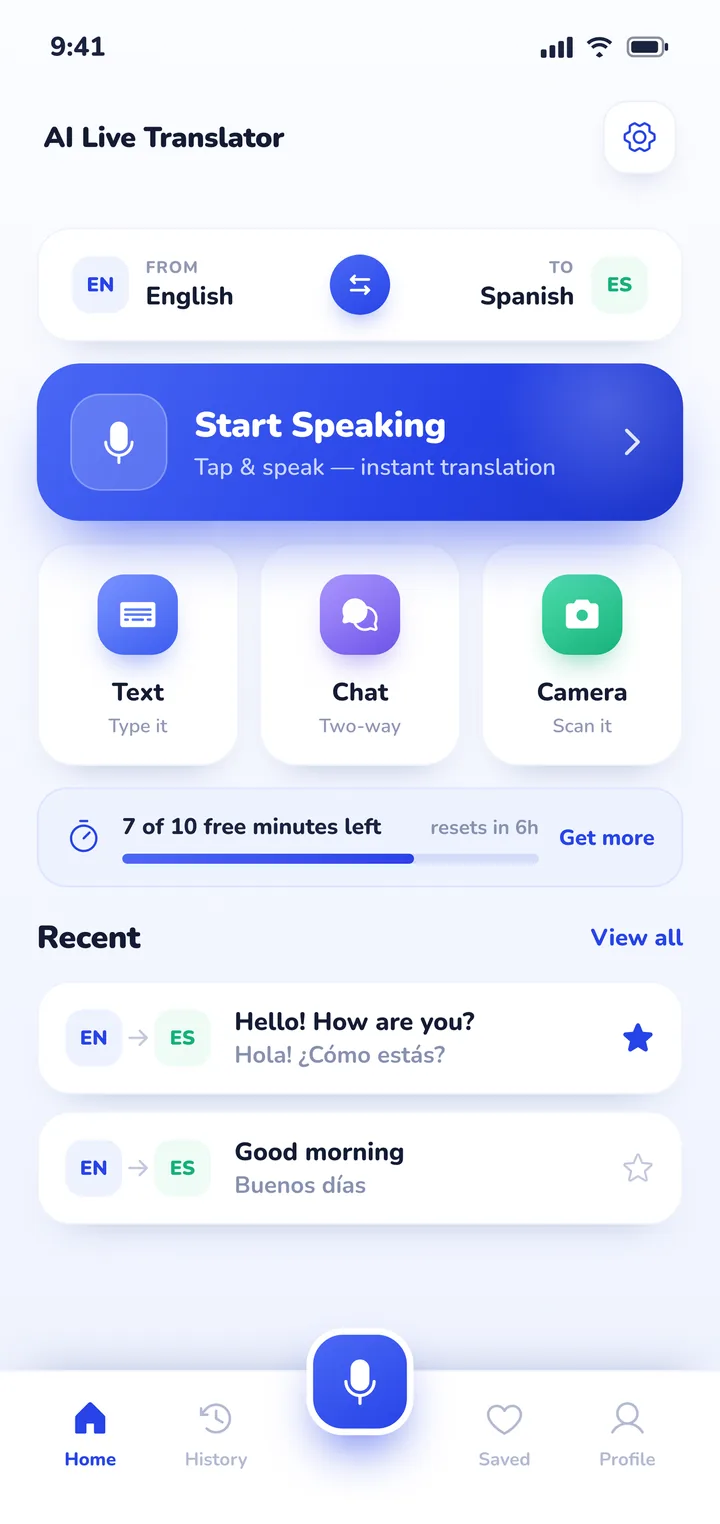
Install Google Translate and download your destination's offline pack at home so you can read street signs even without mobile data. Use DeepL for drafting written messages to tour guides or rental hosts, and use Apple Translate for simple offline phrases on an iPhone. If you want a face-to-face spoken conversation without handing your phone back and forth, Clawmium Translate provides a two-way split screen and automatically saves every discussion with an AI summary.
An international traveler relies on a translation app for travel across three distinct situations: reading printed signs and restaurant menus, messaging accommodations or tour operators in writing, and speaking face to face with locals. For reading signs in transit hubs where mobile signals drop, Google Translate with a downloaded offline language pack is the most dependable fallback. For drafting polite accommodation inquiries, DeepL delivers the cleanest written syntax.
For spoken conversations at train stations, markets, or hotels, passing a phone back and forth creates awkward friction. A split-screen conversation app placed on a counter or table lets both people read along in real time in their own language. Because high-accuracy voice recognition streams audio to cloud engines, travelers should pair their translation app with an international travel eSIM rather than relying entirely on offline speech tools. No consumer translation tool replaces an official medical or legal interpreter.
The three translation tasks every traveler faces
Travel abroad usually breaks down into three distinct language challenges. Knowing which task you're facing makes choosing the right tool straightforward:
- Reading signs, transit boards, and printed menus: When you're standing on a train platform in Munich or reading a chalkboard menu in Rome, you don't need voice recognition. See our guide to translating a menu with your camera for framing and lighting tips. You need an accurate camera translation tool that overlays translated text directly onto photos or frames, ideally working even if you have no mobile signal.
- Written communication with hosts and operators: Booking apartment rentals, booking rental cars, or emailing a guide about tour departures requires clear written grammar. Misunderstandings over check-in codes or dietary restrictions cause real headaches, so accuracy in long-form written text matters most here.
- Face-to-face spoken conversations: Asking a station clerk which platform your connection leaves from, negotiating at a craft market, or talking with a doctor requires spoken conversation. Passing a phone back and forth disrupts the interaction, which makes split-screen two-way conversation modes far more practical.
Five translation apps for travel, compared
Here's how five widely used translation apps compare for international travel across phones, offline access, and pricing.
| App | Best for | Works offline | Price | Key consideration |
|---|---|---|---|---|
| Google Translate | Street signs and offline transit fallback | Yes (with downloaded pack) | Free | Download language packs over home Wi-Fi before your departure |
| Apple Translate | Built-in offline dialogue on iPhone | Yes (with downloaded pack) | Free (iOS only) | Clean split-screen view; limited to Apple devices |
| DeepL | Polite written messages to hosts | No (needs data) | Free tier available | Produces natural phrasing for written emails, text messages, and documents |
| Naver Papago | Travel in East Asia (Japanese, Korean, Chinese) | Text only offline; voice needs data | Free | Trained specifically on Asian language syntax and honorifics |
| Clawmium Translate | Face-to-face conversation with saved summaries | No (needs data) | Free daily allowance | Two-way split screen; automatically saves transcripts with AI summaries |
Google Translate: the universal sign reader and offline fallback
Google Translate remains an indispensable foundation for international travel. Its biggest advantage for travelers is the depth of its offline language support. Google lets you download language packs covering dozens of languages directly to your device storage before you travel.
When you're navigating an underground metro station where cellular signals drop, pointing your camera at directional signs translates them on screen without needing internet. Google Translate also features a face-to-face conversation view inside its live translate mode, which we review in our guide to Google Translate's conversation mode.
Apple Translate: built-in offline conversation on iPhone
If you carry an iPhone, Apple Translate comes pre-installed and integrates cleanly into iOS. Apple's app lets you download language packs for offline use, covering major travel languages such as Spanish, French, German, Italian, and Japanese.
Its conversation mode includes a face-to-face view that splits your screen so two people standing across from one another can read their own language. On newer devices running iOS 26, Apple also integrates live translation into Messages and Phone calls. The main limit is that Apple Translate only runs on Apple hardware, so Android users must pick another option.
DeepL: the highest quality for written travel messages
DeepL is widely respected by linguists and frequent travelers for producing nuanced, natural written translations. When you need to draft an email to a boutique hotel, ask an Airbnb host about key collection, or explain a severe food allergy, DeepL generates phrasing that reads like a native speaker wrote it.
DeepL focuses on written text, web documents, and typed notes. It isn't designed for rapid-fire spoken dialogue at a ticket counter, but keeping it bookmarked or installed gives you an excellent editor for important travel correspondence.
Naver Papago: the specialist for East Asian destinations
For trips to South Korea, Japan, China, or Vietnam, Naver Papago is often the preferred tool among seasoned travelers. Developed by South Korea's search giant Naver, the app is trained specifically on Asian language structures and honorific customs that general western engines often misinterpret.
Papago supports 14 languages and includes a 1:1 conversation view along with photo translation for menus. If you're visiting East Asia or Southeast Asia, read our dedicated comparisons of translator apps for Japan, translator apps for Korea, translator apps for Taiwan, and translator apps for Thailand for country-specific transit and etiquette advice. For European travel, check our guides to translator apps for Germany, translator apps for Spain, translator apps for France, and translator apps for Italy.
Clawmium Translate: for conversations you want to keep
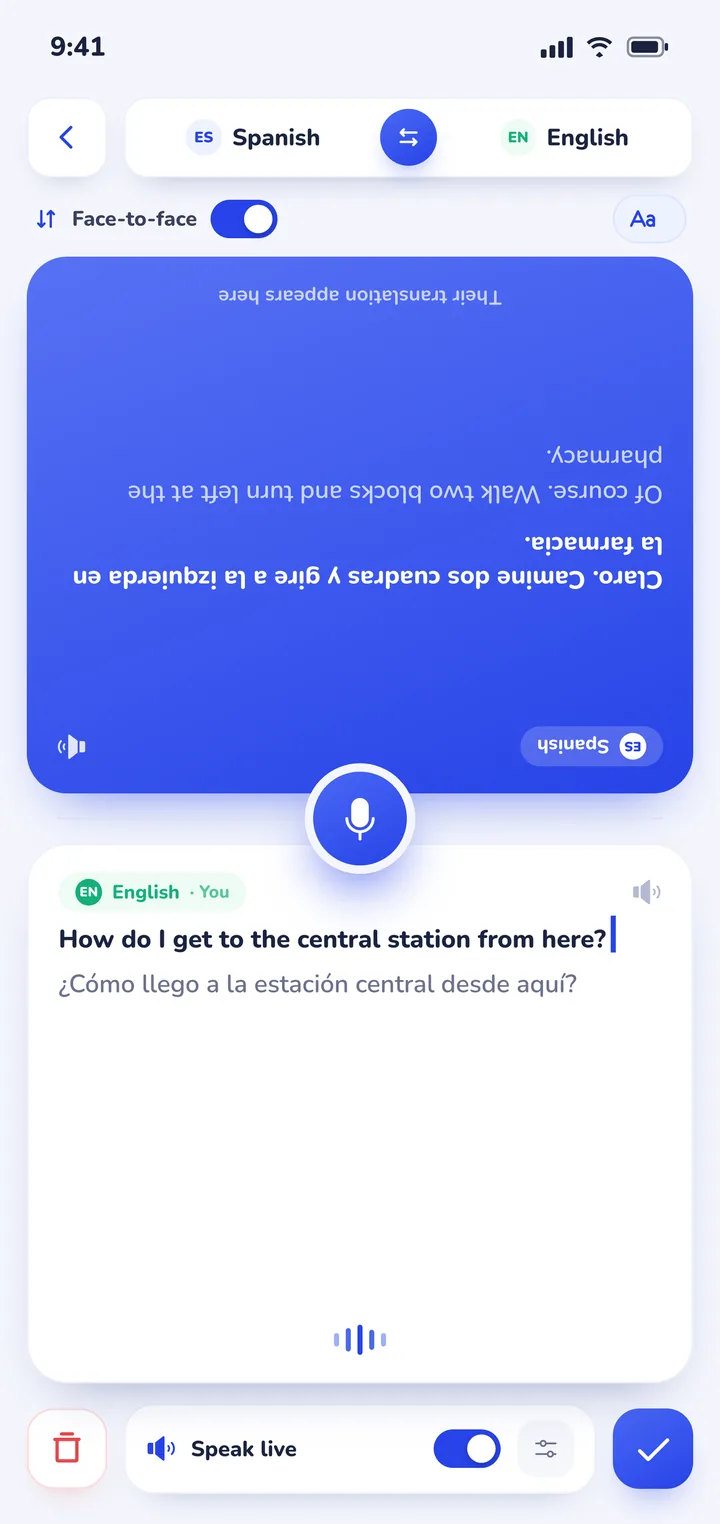
Clawmium Translate is built specifically for two people having a live conversation in different languages. Instead of making you take turns tapping buttons or handing your phone back and forth, the screen splits into two halves facing opposite directions.
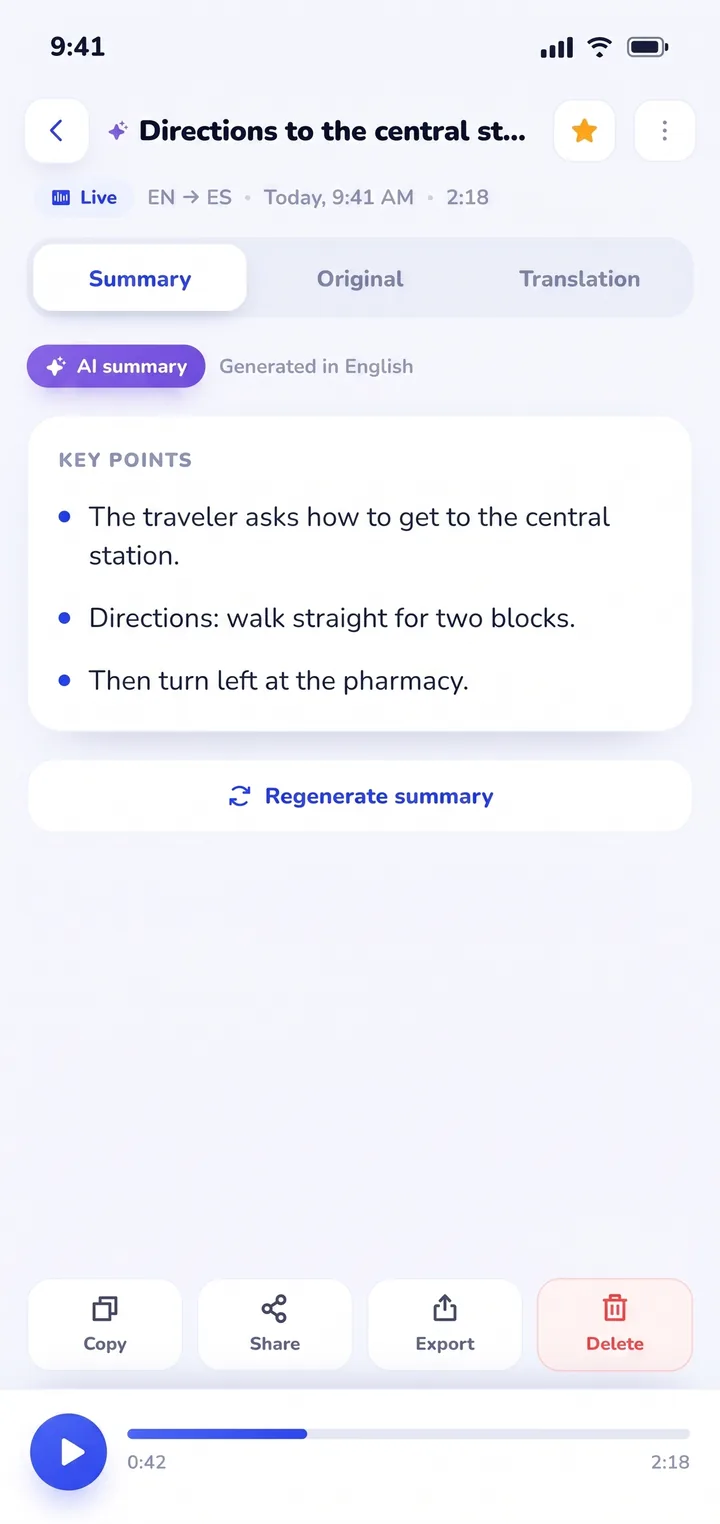
Each person reads their language in real time as the other speaks. What makes it unique for international travel is that every conversation is automatically saved in History with an AI summary. That means you never lose local recommendations, taxi instructions, or shop addresses that a local just explained to you.
Offline language packs vs travel eSIMs
A common mistake among first-time international travelers is expecting speech translation to work flawlessly without internet. High-accuracy voice transcription and real-time translation rely on cloud models that require data transfer. While Google and Apple offline packs handle basic written dictionaries and street signs, spoken dialogue is far less reliable offline.
The practical solution for international trips is pairing offline tools with an affordable travel eSIM (such as Airalo, Nomad, or Ubigi). Having mobile data active as soon as you touch down lets speech apps stream audio cleanly. If you're weighing dedicated translation hardware against your smartphone, our guide to translator earbuds vs a phone app explains why phone apps usually offer better value and flexibility on the road.
Where Clawmium Translate fits
Clawmium Translate is our app, so weigh this section with that context in mind. We make Clawmium Translate to give travelers a direct way to talk face to face with locals across different languages, running on both Android and iPhone.
When you start a session in conversation mode, the screen divides into two facing sections. You place your phone flat on the cafe table or hotel counter. One side faces you, and the other side inverts so the person opposite reads along naturally in their own language without having to hold your personal device.
The app automatically detects which of your two selected languages is being spoken. You don't have to push buttons back and forth before every sentence. Spoken translations can also be read aloud through the speaker, with distinct voices assigned to each person.
For travelers, the most valuable feature is what happens after you finish talking. Every session is stored in History on your phone, complete with the dual-language transcript and a clear AI summary of key points. When a friendly local lists three hidden bakeries or a station agent details a train change, you don't need to scramble for a pen. You open History later and find the exact names.
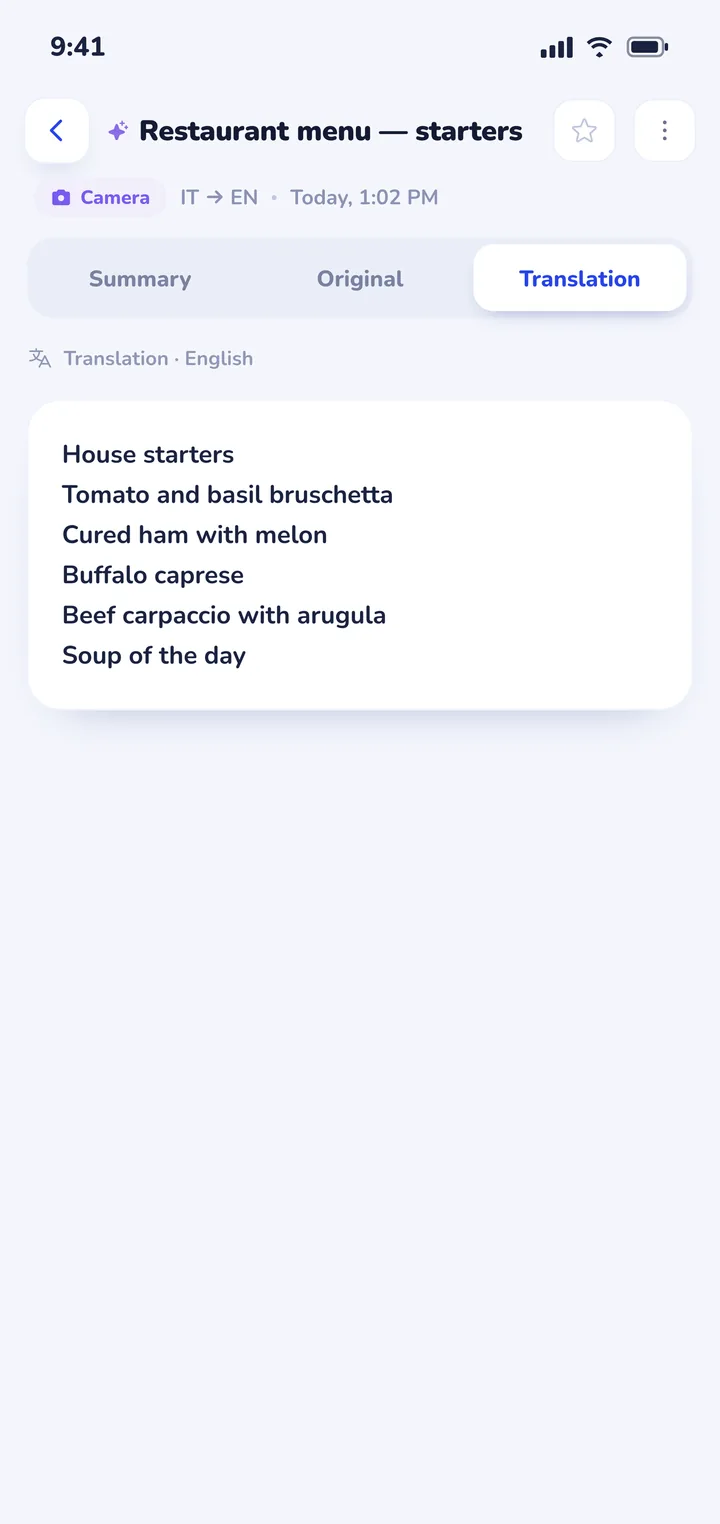
Clawmium Translate also includes camera translation that reads text from photos of menus and signs, plus document translation for saved travel vouchers and guides. It supports more than 60 languages, including Spanish, French, Italian, German, Japanese, Korean, Arabic, and Vietnamese.
There are clear trade-offs to keep in mind. Clawmium Translate requires an active internet connection (cellular data or Wi-Fi) to transcribe and translate speech. It doesn't offer an offline speech mode. It's free to download with a daily allowance for live translation, completely ad-free, with a Pro monthly subscription that raises daily limits.
For offline subway navigation where you have zero signal, Google Translate's offline pack remains the ideal companion to keep beside it. To see how other live tools operate, check our overview of apps that translate in real time.


Practical rules for using a translator abroad
- Keep sentences short and direct: Complex idioms, slang, and compound sentences trip up every translation engine. Speak one clear thought at a time for the cleanest results.
- Place the phone flat between you: Avoid pointing your phone into someone's face or handing it over across a busy counter. Laying it flat on the counter or table makes both speakers feel comfortable. We detail conversation flow and etiquette in our guide to using a conversation translator face to face.
- Confirm numbers and times visually: When discussing train departure times, platform numbers, or bills, confirm the written digits on screen rather than relying on spoken audio alone.
- Download offline packs before departure: Save Google Translate's offline packs for your destination countries while you're still on your home Wi-Fi network so you're never stranded without basic sign-reading capability.
Frequently asked questions
Which translation app fits international travel best?
Most international travelers get good results by carrying two apps: Google Translate for reading printed signs and offline backup, and Clawmium Translate for live spoken conversations with locals. If you travel extensively in East Asia, Naver Papago is also worth adding for Japanese, Korean, and Chinese.
Can I use a translation app without internet or cellular data abroad?
Yes, for written text and camera signs if you download offline language packs ahead of time in Google Translate or Apple Translate. Spoken voice translation, however, requires an active internet connection on most apps because speech recognition runs through cloud models. Setting up an eSIM before you travel provides the data connection you need.
Does Clawmium Translate work offline while traveling?
No. Clawmium Translate processes speech and camera translations through cloud models to provide high translation accuracy, so it requires an active Wi-Fi or cellular data connection. For offline emergencies where you have no mobile signal, we recommend keeping Google Translate with a downloaded offline language pack on your device.
How do I translate foreign restaurant menus with my phone?
You can use camera translation in Google Translate, Papago, or Clawmium Translate. In Clawmium Translate, you take a photo of the printed menu or select one from your gallery, and the translated text appears directly over the image. You can tap the screen to hide the translation and press to view the original menu.
Sources
- Google Translate Help, Translate offline on Android and iPhone, checked 5 November 2026.
- Apple Support, Translate text, voice, and conversations on iPhone, checked 5 November 2026.
- DeepL Help Center, DeepL supported languages and platform features, checked 5 November 2026.
- Naver Papago, Papago translation features and language options, checked 5 November 2026.
Try a conversation before your next trip
Free to start. 60+ languages. Put the phone between two people and talk.