For a trip to Japan, download Google Translate and save its Japanese offline pack before you leave for subway signs and train stations where mobile signal drops. Use DeepL for drafting polite written messages to hotel hosts, and use a dedicated split-screen conversation app for spoken exchanges at counters and restaurants. If you want two people to read in their own language from one phone without passing the device, Clawmium Translate provides a two-way split screen and saves each conversation with an AI summary of the key points.
A traveler in Japan encounters three distinct translation tasks: reading printed Japanese (subway signs, train tickets, product labels, and menus), communicating in writing with hosts or booking services, and speaking face to face with locals. For reading signs, Google Translate's camera translation with an offline Japanese language pack is the standard fallback when underground in train stations without mobile data.
For spoken conversations at hotels, restaurants, or ticket counters, passing a phone back and forth breaks the flow of polite Japanese interaction. A split-screen conversation app placed on a counter allows each person to read their own language in real time. Because speech translation requires streaming data to cloud speech engines, travelers should carry an eSIM or pocket Wi-Fi rather than relying on offline speech modes. No consumer translation app replaces an official medical or legal interpreter.
The three translation tasks you face in Japan
Japanese presents specific practical hurdles that general translation tools handle with varying degrees of success:
- Reading Kanji and Kana: Japanese mixes three writing systems (Kanji, Hiragana, and Katakana). Station exit directories, platform signs, vending machines, and restaurant menus rarely include romaji (the Latin alphabet). A camera translation tool that reads text from a photo or camera frame is essential for daily navigation.
- Polite spoken conversation (Keigo): Japanese conversation relies heavily on levels of politeness and indirect phrasing. When you're talking to hotel staff, train conductors, or shopkeepers, machine translation can sometimes produce blunt phrases. Tools with strong training in Asian language pairs handle these social registers more cleanly.
- Subway stations and underground shopping: In complex underground transit hubs such as Shinjuku or Tokyo Station, cellular signal can occasionally drop or slow down. Having Google Translate's offline Japanese pack ready on your phone ensures you aren't stranded without directions.
Five translation apps for Japan, compared
Here's how the five most widely used translation apps compare for international travelers visiting Japan.
| App | Best for | Needs internet | Price | Key consideration |
|---|---|---|---|---|
| Google Translate | Subway signs and offline fallback | No (with offline pack) | Free | Offline Japanese pack must be downloaded before your trip |
| Naver Papago | Asian language pairs | Text only offline; speech needs data | Free | Supports 14 languages, with specialized focus on Korean, Japanese, and English |
| DeepL | Detailed written messages | Yes | Free tier available | Produces natural phrasing for long accommodation inquiries and emails |
| VoiceTra | Short travel phrases | Yes | Free | Developed by Japan's NICT research institute specifically for tourism |
| Clawmium Translate | Face-to-face conversation | Yes | Free with daily allowance | Split-screen layout keeps both languages visible; saves transcript with an AI summary |
Google Translate: for camera signs and offline subway navigation
Google Translate is an essential baseline app for traveling in Japan. Its primary strength for travelers is its camera translation and downloadable offline language pack. When you're standing in a train station trying to read an exit map or a platform warning, pointing the camera translates the printed text on your screen.
Before you fly, open the app, tap your profile, select Downloaded languages, and download Google Translate's Japanese pack. While on-device translation is less nuanced than cloud translation, it functions completely without mobile data. This provides a safety net when navigating underground metro passages where Wi-Fi drops out. Google Translate also includes a face-to-face split screen inside its live translate mode, which we review in our guide to Google Translate's conversation mode.
Naver Papago: for Asian language pairs and natural dialogue
Developed by South Korea's Naver, Papago is widely used across East Asia. Because it's specifically engineered around Korean, Japanese, Chinese, and English, it handles Japanese sentence structure and context with notable care. It supports 14 languages, including Japanese, English, Korean, Spanish, French, and Vietnamese.
Papago includes a 1:1 conversation mode where two people can speak into the microphone alternately. It also provides an honorific toggle for certain language pairs, allowing you to choose between formal and informal registers. If your trip extends across Asia to Seoul, Taipei, or Bangkok, explore our companion guides to translator apps for Korea, translator apps for Taiwan, and translator apps for Thailand.
DeepL: for nuanced accommodation messages and written Japanese
DeepL has earned a strong reputation among linguists and international business travelers for translation quality on long passages of written text. If you need to message an Airbnb host, email a traditional ryokan about dietary restrictions, or decipher a lengthy informational brochure at a museum, DeepL produces natural, flowing English and Japanese phrasing.
Unlike quick speech tools, DeepL is primarily designed for typed or pasted text and documents. It isn't built for live, continuous spoken conversation between two people standing on a street corner, but keeping it on your phone makes writing polite messages much simpler.
VoiceTra: Japan's official tourism research app
VoiceTra is a speech translation app developed by the National Institute of Information and Communications Technology (NICT), a Japanese government research organization. NICT developed the app specifically to assist international tourists communicating in Japan.
The app translates spoken sentences across 31 languages and includes a reverse-translation display so you can check how your words were understood in Japanese before showing them to someone. VoiceTra is tailored around tourism phrases, such as asking for directions, ordering food, or checking ticket prices. It requires an active internet connection and is intended for short, individual phrases rather than open-ended conversations.
When to use a split-screen app instead of passing the phone
In many Western countries, people are used to passing a smartphone back and forth while an app translates alternate sentences. In Japan, handing your personal device across a counter or into a stranger's hands can feel awkward and disrupts the etiquette of polite customer service.
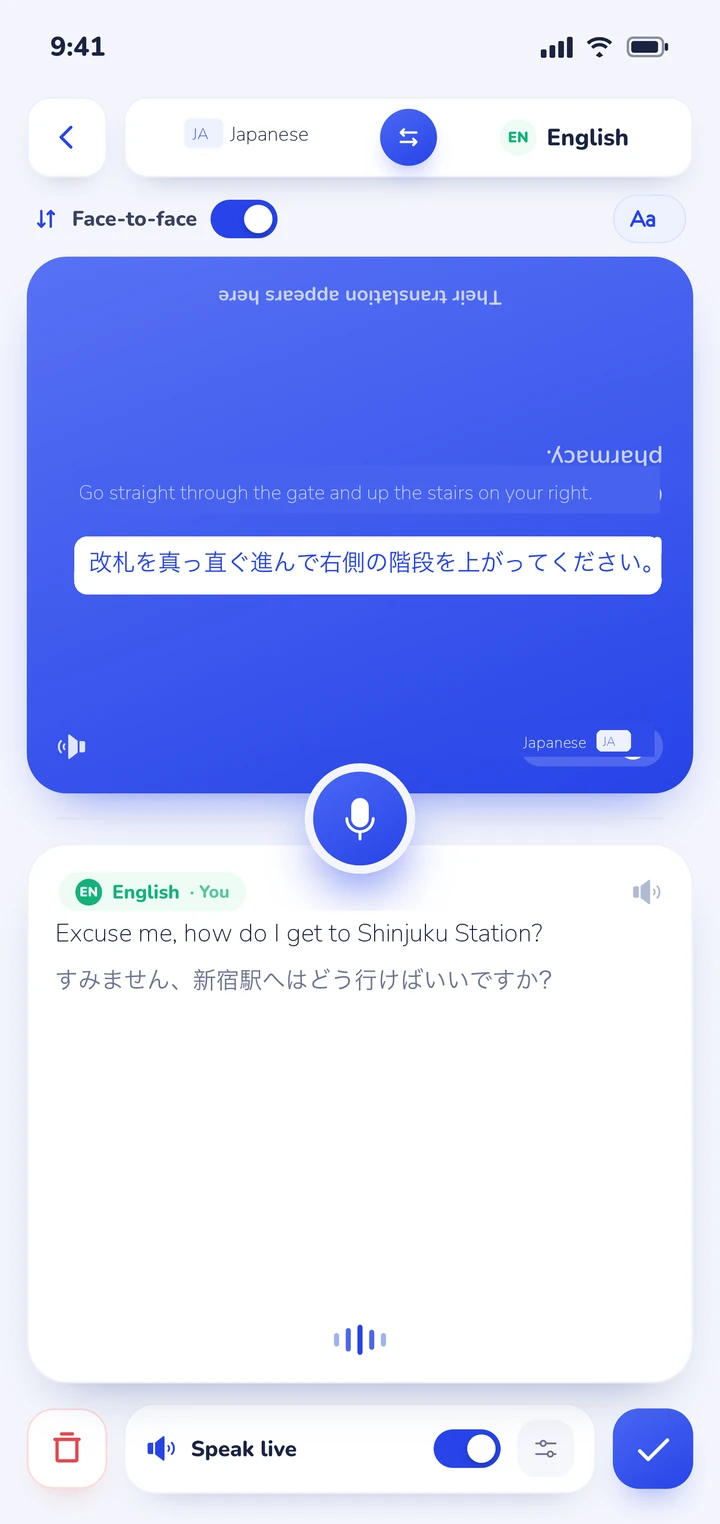
A better setup for spoken exchanges is placing the phone flat on the counter or table between you. A split-screen conversation app inverts the top half of the screen toward the local speaker while keeping the bottom half facing you. As each person speaks, their words appear in their native language on their half of the screen in real time. We cover the setup, conversational pacing, and etiquette in our guide to using a conversation translator face to face.
If you're deciding between carrying dedicated hardware versus using your smartphone, our comparison of translator earbuds vs a phone app details the practical trade-offs during international travel.
Where Clawmium Translate fits
Clawmium Translate is our app, so weigh this section with that in mind. It's designed specifically for face-to-face spoken conversations between two people who don't share a language, running on Android and iPhone.
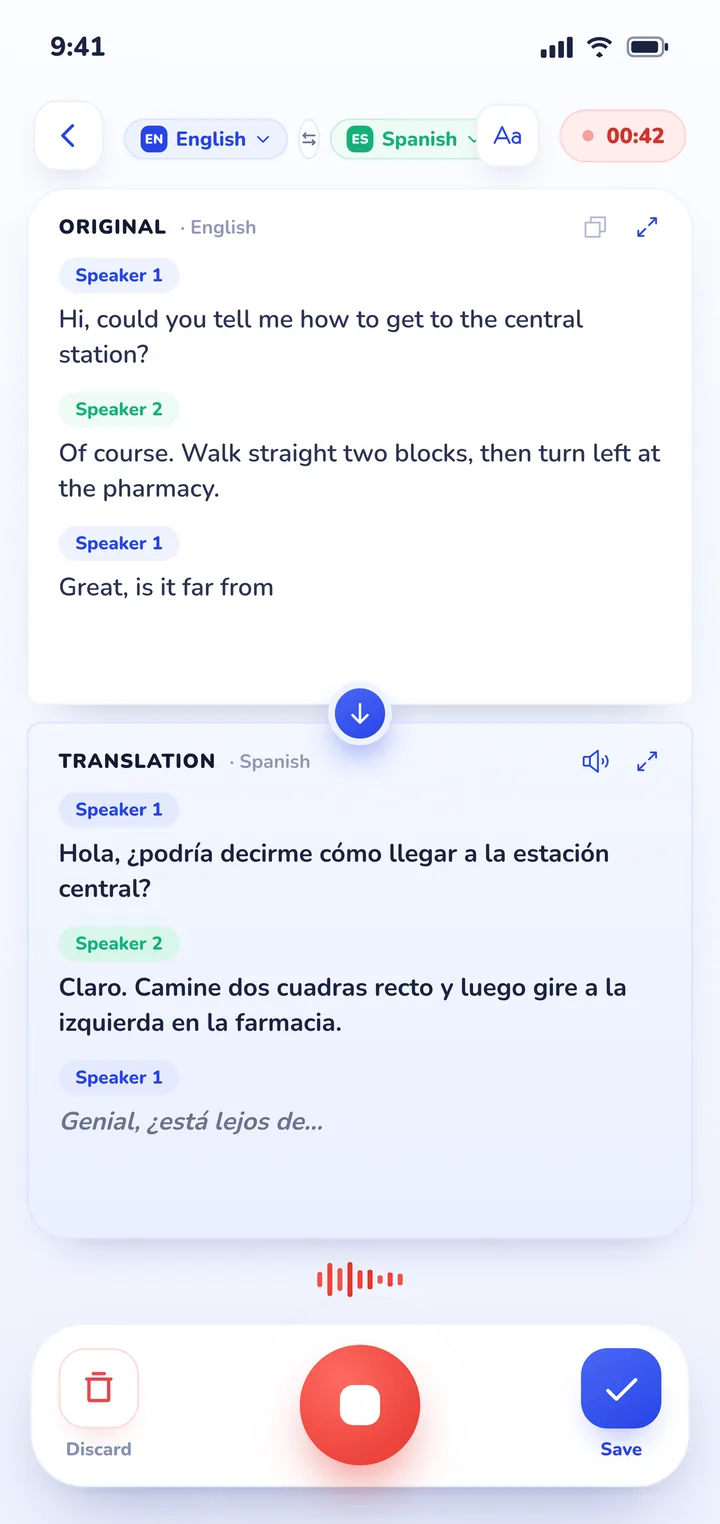
When you enter conversation mode, the screen splits in two. One side faces you, and the other side is inverted so the person across from you can read along naturally without touching or holding your phone. The app automatically detects which of your two selected languages is being spoken, eliminating the need to tap buttons before every sentence. Translations can also be read aloud, with a separate voice assigned to each speaker.
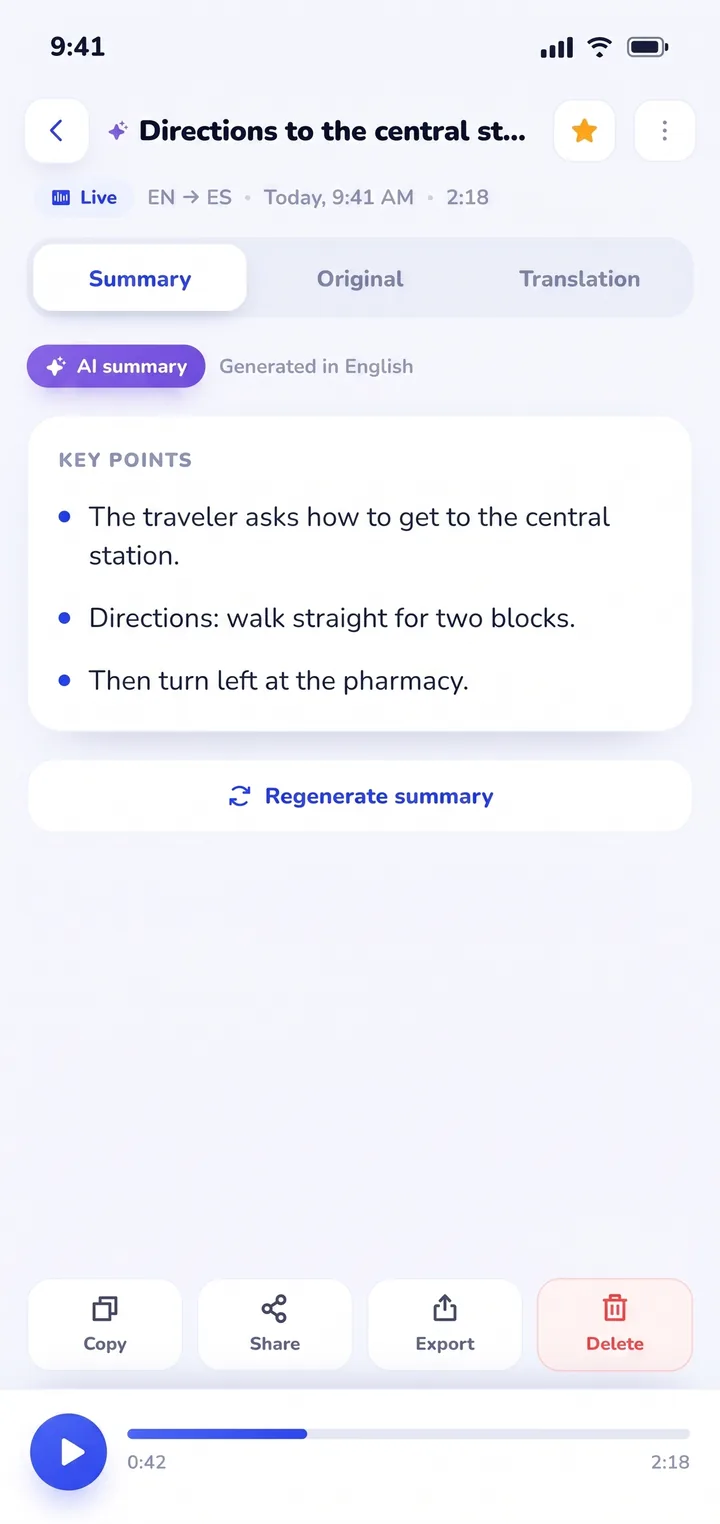
What sets Clawmium Translate apart for international travel is what happens after the conversation ends. Every session is saved in History on your phone, complete with the full transcript in both languages and an AI summary of the key points.
That's particularly helpful during travel in Japan when a station agent gives you multi-step train transfer instructions, a hotel concierge recommends specific neighborhood restaurants, or a shop explains tax-free refund procedures. You can reopen the session later, search past conversations, or copy the details.
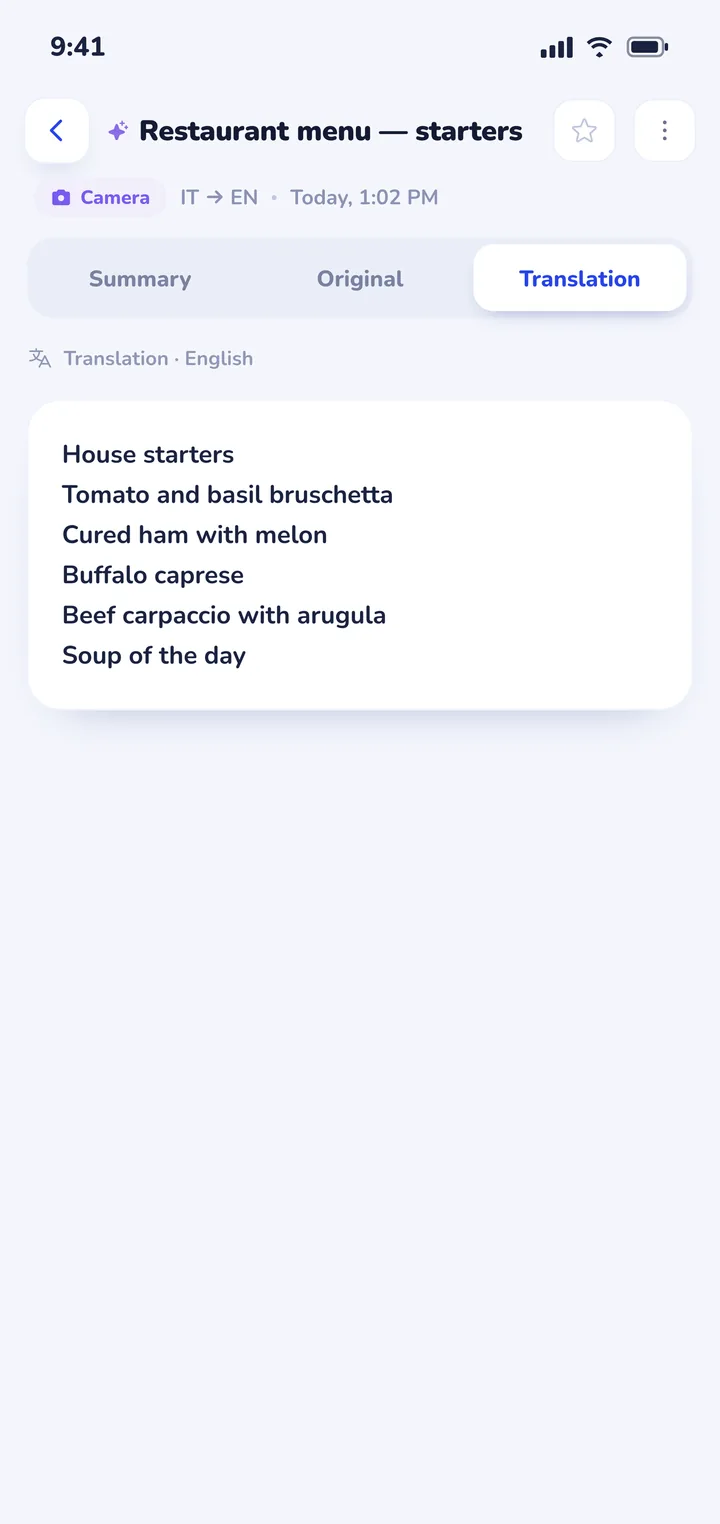
Clawmium Translate also includes a camera translation feature that reads and translates text from photos of menus and signs; see our guide on how to translate a menu with your camera for dining tips. It also includes document translation for itinerary PDFs and guides. It supports more than 60 languages, including Japanese, English, Spanish, French, and German.
There are clear trade-offs to keep in mind. Clawmium Translate requires an active internet connection (cellular data or Wi-Fi) because its speech recognition and translation run through cloud models. It doesn't offer an offline speech mode. It's free to download with a daily allowance that resets each day, and completely ad-free, with a Pro monthly tier that raises the daily usage limits.
For offline subway emergencies where no data connection is reachable, Google Translate's offline pack remains the right tool to keep alongside it. If you want to compare how other mobile tools operate, see our review of apps that translate in real time or our broader guide to translation apps for travel.


Practical setup tips before you land in Japan
- Download offline language packs at home: Google Translate's Japanese pack is approximately 50 to 100 megabytes. Download Google Translate's offline pack over home Wi-Fi before your flight so you have immediate sign-reading capability when landing at Narita, Haneda, or Kansai International Airport.
- Arrange an eSIM or pocket Wi-Fi: High-quality speech translation relies on streaming audio to cloud models. Reliable connectivity is cheap and easy in Japan via prepaid travel eSIMs (such as Ubigi, Airalo, or Holafly) or pocket Wi-Fi rental collected at airport arrivals.
- Speak in short, complete sentences: Japanese syntax places verbs at the end of the sentence. Avoid rambling or stacking multiple thoughts into one long sentence. Speaking clear, concise phrases yields much cleaner translation across every translation engine.
- Confirm numbers and dates visually: When discussing train platform numbers, seat reservations, prices, or checkout times, confirm the numerals on the phone screen rather than relying on spoken audio alone.
Sources
- Google Translate Help, Hear live speech to speech translations with live translate, checked 4 November 2026.
- Google Translate Help, Translate offline on Android and iPhone, checked 4 November 2026.
- National Institute of Information and Communications Technology (NICT), VoiceTra speech translation app information, checked 4 November 2026.
- Naver Papago, Papago official language translation portal and mobile applications, checked 4 November 2026.
- DeepL SE, DeepL Translator documentation and features, checked 4 November 2026.
Frequently asked questions
What is the best translator app for Japan?
Most travelers use a combination of tools: Google Translate for offline camera translation of signs and menus, DeepL for written messages to hotel hosts, and Clawmium Translate for face-to-face spoken conversations using a split screen with a saved summary.
Does Google Translate work offline in Japan?
Yes, but only if you download the Japanese offline language pack inside the app before you need it. Google's offline mode handles text and camera translation, making it useful in underground subway stations where cell service drops.
Can my phone translate Japanese to English in real time?
Yes. Apps such as Clawmium Translate and Google Translate listen continuously to spoken Japanese and English, translating sentences in real time onto a split screen so both speakers can read along.
Do I need Wi-Fi or an eSIM for translation apps in Japan?
Yes, an internet connection is strongly recommended. While basic text and camera translation can work with pre-downloaded Google packs, live speech recognition and conversational translation stream audio to cloud servers and require cellular data or Wi-Fi.
What is the best app to translate a Japanese menu?
For printed menus, Google Translate's camera view allows you to point your phone and see English overlaid on the text. For stylized or vertical Japanese calligraphy, taking a photo with Clawmium Translate or Google Translate provides a legible cloud-processed translation.
Try a conversation before you land in Japan
Free to start. 60+ languages. Put the phone between two people and talk.