Yes. Start with Google Translate's live translate, which is free on Android and iPhone and covers more than 70 languages. On an iPhone, Apple's Translate app has a face-to-face conversation view built in, and Samsung Galaxy phones have Interpreter. If you want each conversation saved with a transcript and a summary, use an app built for that, such as Clawmium Translate, which is ours.
Yes, several apps translate speech in real time. They turn speech into text as someone talks, translate each sentence and show or speak it in the other language a moment later. Google Translate's live translate is free on Android and iPhone and supports more than 70 languages. Apple's Translate app has a Conversation mode with a face-to-face view, and Samsung's Interpreter does the same on Galaxy phones. Naver's Papago, from South Korea, covers 14 languages including Korean, Japanese and Chinese.
Most of these apps need an internet connection, though Apple, Samsung and Google's Pixel phones can work offline for downloaded languages. All of them struggle with crosstalk, loud rooms and names. They suit travel, family and everyday errands, and none of them replaces a professional interpreter in a medical or legal conversation.
Apps that translate a conversation in real time
All of these let two people talk with each other in different languages. The table sums up the practical differences; the sections below say who each one suits.
| App | Price | Phones | Languages | Without internet |
|---|---|---|---|---|
| Google Translate (live translate) | Free | Android and iPhone | 70+ | Pixel 9, 10 and 11 only, English with 10 languages |
| Apple Translate | Built in | iPhone | Check the app's list | Yes, for downloaded languages |
| Samsung Interpreter | Built in | Galaxy phones with Galaxy AI | Check the app's list | Yes, for downloaded languages |
| Papago | Free | Android and iPhone | 14 | Text only |
| Clawmium Translate (ours) | Free with a daily allowance; Pro | Android and iPhone | 60+ | No |
Google Translate: the one to try first
Google added live translate to the Translate app in August 2025. It listens continuously, works out which of your two languages is being spoken, and reads each translation aloud while showing both languages on screen. Its face-to-face mode splits the screen so each person reads their own half, and a listening mode plays translations through your headphones. It's free, and Google said at launch that it supports more than 70 languages.
It suits almost anyone, and it's the right first try. It doesn't keep a record you can search later, and offline live translation is limited to recent Pixel phones. Our guide to Google Translate's conversation mode walks through each mode step by step.
Apple Translate: for iPhone users who want nothing extra
Apple's Translate app has a Conversation mode. Turn on Auto Translate and the iPhone detects when each person starts and stops speaking, so nobody taps the mic. The Face to Face view shows each person the conversation from their own side. Apple says conversations work without internet for languages you've downloaded.
It suits iPhone owners and travelers in common languages, especially somewhere without data. It only runs on Apple devices. Since iOS 26, Apple also offers Live Translation inside the Phone, FaceTime and Messages apps on iPhones with Apple Intelligence. Our list of real-time translator apps for iPhone covers the iPhone options in more detail.
Samsung Interpreter: for Galaxy phone owners
Samsung's Interpreter is part of Galaxy AI and opens from the Quick Panel. You set two languages, switch to a split screen that faces each person, and talk. Samsung's guide says it translates face-to-face conversations without Wi-Fi or data once the languages are downloaded, and it can play translations through Galaxy Buds3 earbuds.
It suits Galaxy owners, and like Apple's, it can't be installed on other phones.
Papago: for Korean, Japanese and Chinese
Papago is Naver's translator, from South Korea. Its App Store listing describes a one-to-one conversation mode where both people speak their own language, and it supports 14 languages: Korean, English, Japanese, Chinese (Simplified and Traditional), Spanish, French, Vietnamese, Thai, Indonesian, Russian, German, Italian and Arabic. It's free on Android and iPhone.
It suits trips to Korea and people who talk mostly in those languages. Outside its 14 it's no help, and its offline mode covers typed text, not conversation.
Clawmium Translate: for conversations you want to keep
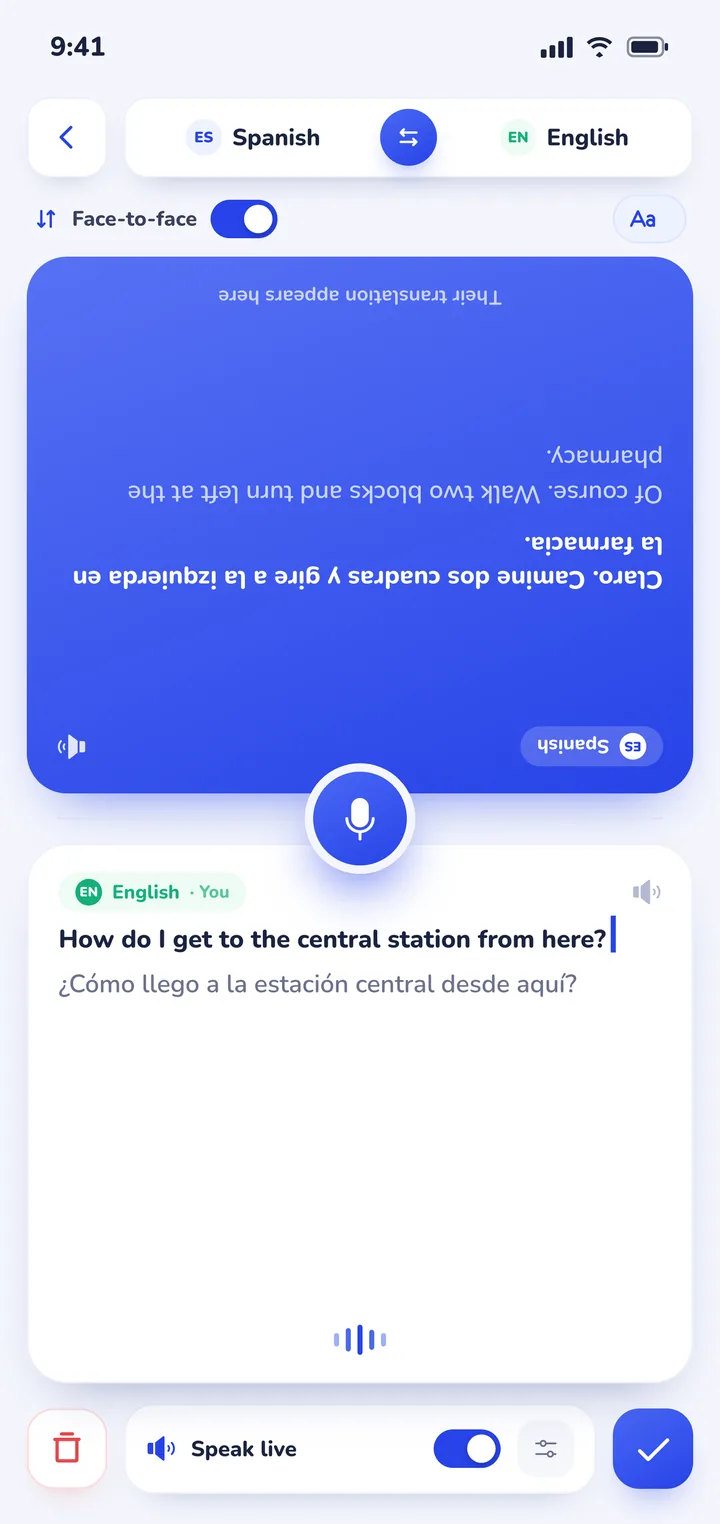
This is our app, so weigh this section with that in mind. It's built for the face-to-face case: the screen splits so each person reads their own language, and every conversation is saved with a transcript and a summary. It needs internet and covers fewer languages than Google Translate. The section on where it fits gives the details.
And translator earbuds
Earbuds such as the Timekettle W4 Pro, and the translation built into recent AirPods and Pixel Buds, play the translation in your ear. They all still run through an app on your phone. Our guide to translator earbuds vs a phone app compares prices and says when the app alone is enough.
Which one to use
- A quick conversation abroad with data: Google Translate.
- No signal, on an iPhone or a Galaxy phone: Apple Translate or Samsung Interpreter, with the languages downloaded before you travel.
- Mostly Korean, Japanese or Chinese: Papago alongside a general app.
- A conversation you'll need to check later, like a landlord's terms or a school meeting: an app that saves the transcript.
- Translation in your ear while you walk: AirPods or Pixel Buds with their built-in translation.
- A doctor or a lawyer: a professional interpreter, often free, as our article on talking to a doctor in another language explains.
One feature has gone. Microsoft Translator retired its multi-device conversation, where each person joined from their own phone with a code, on 30 June 2026, according to its release notes. Older guides still recommend it.
Where real-time translation still struggles
Every app on this list has the same weak spots, because they all run on similar speech and translation models.
- Overlapping speech: two people talking at once garbles both turns. Take turns, even quick ones.
- Noise: a loud bar or a busy street lowers accuracy. Hold the phone closer to whoever's speaking.
- Names and places: they're often written down as ordinary words. Type or show anything that matters.
- Numbers, times and prices: say them clearly and check them on screen. "Four thirty" is safer than "half four", which means 4:30 in British English and can be misread elsewhere.
- Jokes and idioms: they come out literally. Keep them simple when the content matters.
There's always a short delay, because an app needs enough of a sentence to know what it means. Good apps show your words straight away and let the translation catch up. For habits that make a translated conversation feel normal, see our guide to using a conversation translator face to face. To compare speech models, see our comparison of real-time AI translator apps. For dedicated options tested for real speech, browse our breakdown of voice translator app choices.
Where Clawmium Translate fits
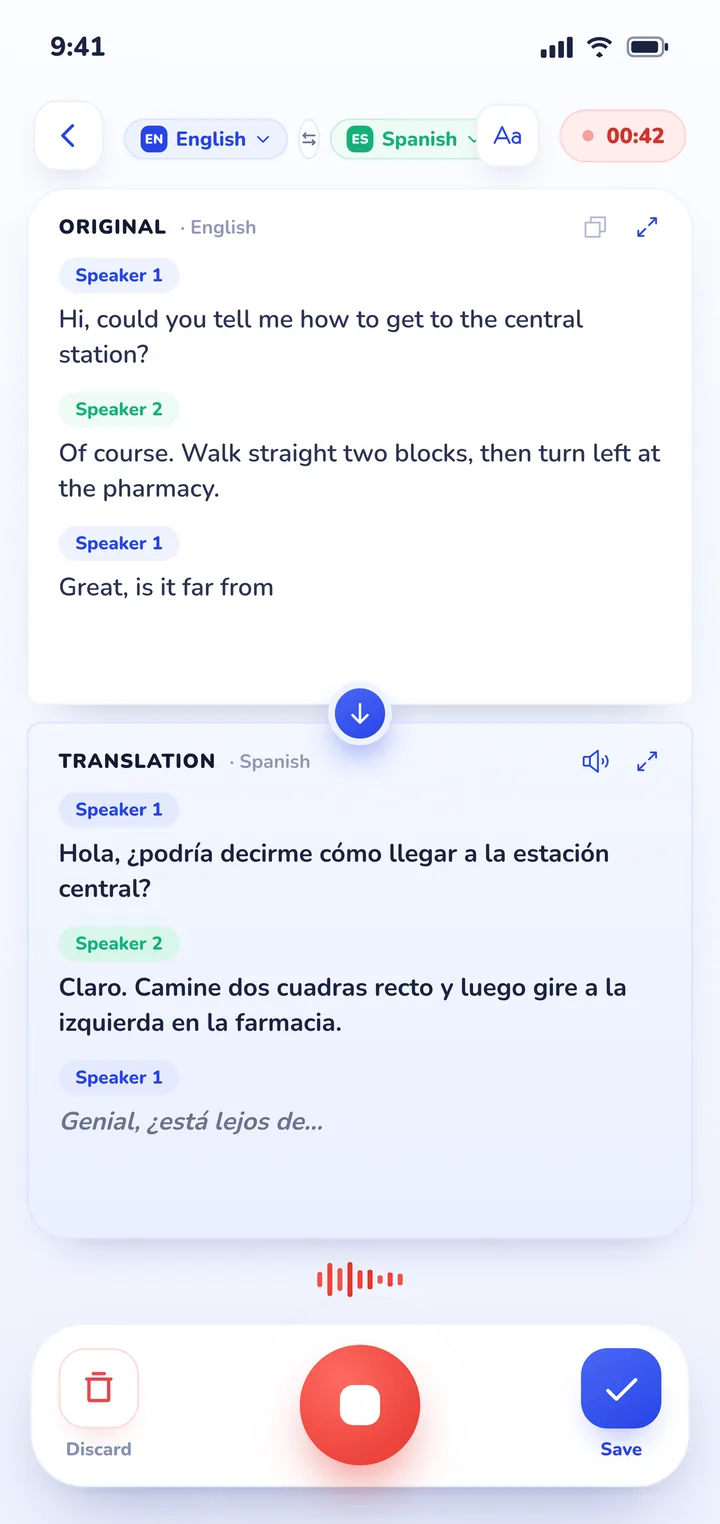
Clawmium Translate is our app, so weigh this section with that in mind. Its conversation mode splits the screen so each person reads their own language, and it works out which of your two languages is being spoken. Live mode shows the transcript and the translation as people talk, and translations can be read aloud with a different voice for each speaker.
What the rest of this list doesn't do is keep a record. Every session is saved on your phone with the transcript in both languages and an AI summary, titled automatically, searchable and shareable.
It supports more than 60 languages, fewer than Google Translate. It's free to download with a daily allowance and no ads, and Pro raises the limits. It runs on Android and iPhone and needs an internet connection, so for a conversation with no signal, Apple's or Samsung's offline modes are the better choice.


Sources
- Google Translate Help, Hear live speech to speech translations with live translate, checked 3 November 2026.
- Google, announcement of live translate in the Translate app, 26 August 2025.
- Apple Support, Translate in-person conversations with iPhone and Use Live Translation on iPhone, checked 3 November 2026.
- Samsung, Galaxy AI languages and usage guide, updated 1 July 2026, and How to use the Interpreter setting, checked 3 November 2026.
- Naver Papago, App Store listing and Google Play listing, checked 3 November 2026.
- Microsoft Translator release notes for version 26.7.1, 30 June 2026, as listed on APKMirror, checked 3 November 2026.
Frequently asked questions
Is there a free app that translates conversations in real time?
Yes. Google Translate's live translate is free on Android and iPhone, and Papago is free for its 14 languages. Apple Translate and Samsung Interpreter come built into iPhones and Galaxy phones.
What is the best real-time AI translator app?
It depends on your phone and what you need. Google Translate covers the most languages for free, Apple's and Samsung's built-in apps work offline for downloaded languages, and an app that saves transcripts suits conversations you'll need to check later.
Can an app translate a phone call in real time?
Some phones can. Since iOS 26, Apple's Phone app offers Live Translation on iPhones with Apple Intelligence, and the other person hears a spoken translation. Clawmium Translate doesn't translate phone calls.
Does real-time translation work without internet?
Sometimes. Apple Translate and Samsung Interpreter work offline for languages you've downloaded, and Google offers offline live translation on Pixel 9, 10 and 11 phones for English paired with ten languages. Clawmium Translate and most of the apps above need a connection.
Is a translator app accurate enough for a doctor's appointment?
It can help you describe symptoms and follow instructions, but it shouldn't be the only thing you rely on. Ask for a professional interpreter as well. In the US and in NHS care in England, patients usually have a right to one at no cost.
Try a live conversation
Free to start. 60+ languages. Each person reads their own language.