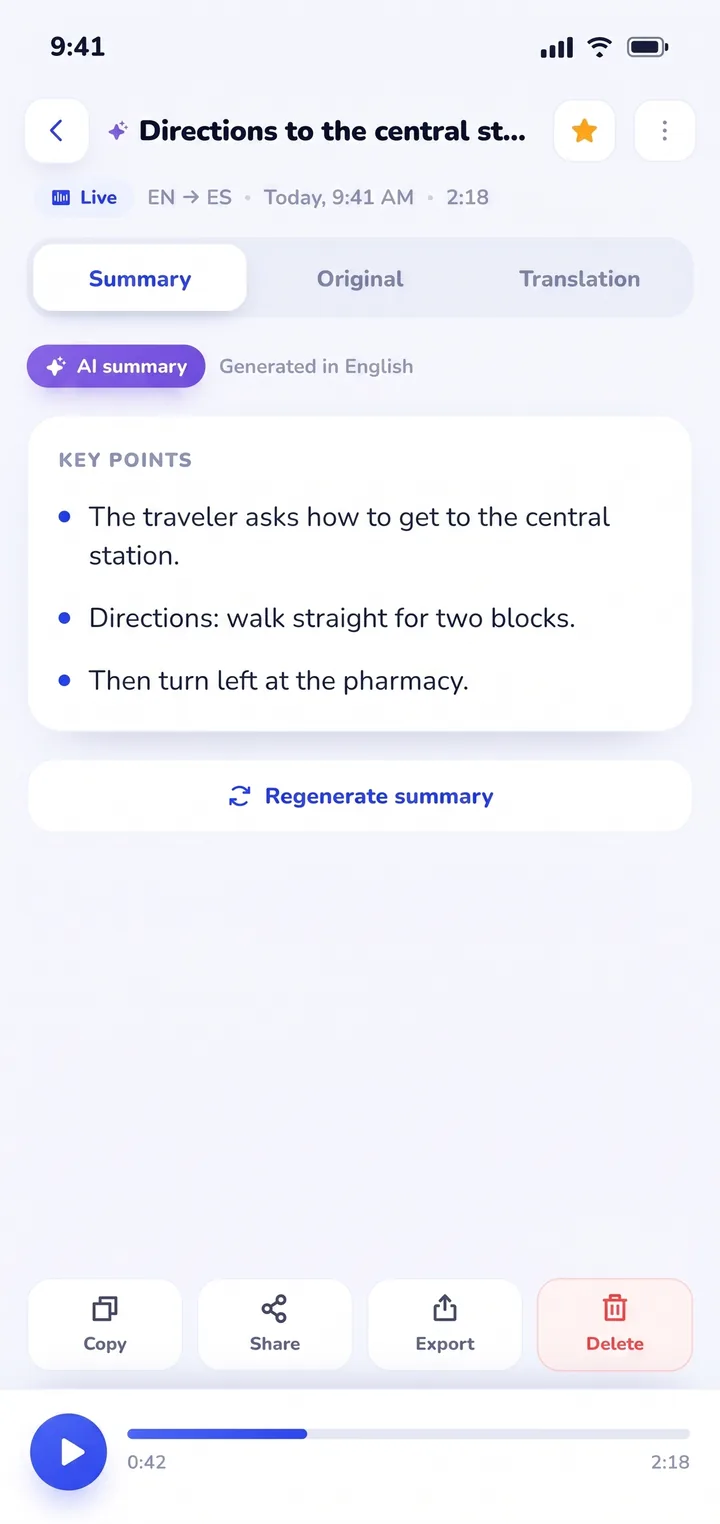
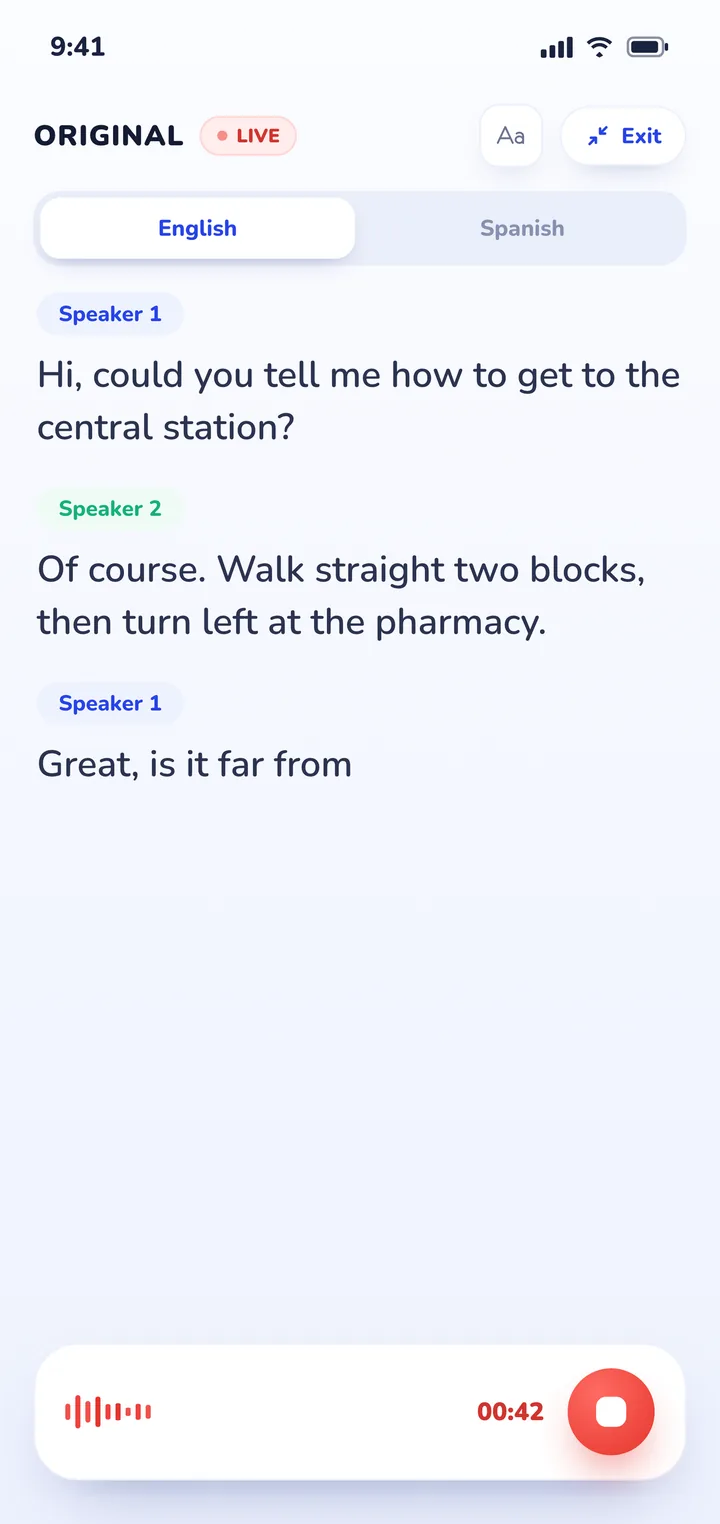
Live translate is speech translation that runs while people talk instead of after each sentence. For a quick exchange, the tools already on your phone are enough: Google Translate's live translate is free on Android and iPhone. For a long face-to-face conversation you want to keep a record of, a conversation app such as Clawmium Translate, which is ours, fits better.
Live translation turns speech into text as someone talks, translates each sentence and shows or speaks it in the other language a moment later. It differs from older turn-based translation, where one person speaks, stops and waits while the whole sentence is processed. There's always a short gap, because an app needs enough of a sentence to know what it means.
On phones, Google Translate's live conversation feature is free on Android and iPhone and supports more than 70 languages. Samsung Galaxy phones have Interpreter for face-to-face talk and Live Translate for calls. iPhones have Apple's Translate app and, since iOS 26, Live Translation in Phone, FaceTime and Messages. Most of these need internet, though Apple's and Samsung's tools work offline for downloaded languages.
What "live translate" means
Live translation streams. Words appear while the person is still talking, and the translation follows a moment later. The older approach records a whole sentence, then translates it, then plays it back. That's fine for a single question. In a conversation it puts a pause after every sentence, and the pauses add up.
Every live translation tool needs part of a sentence before it can translate it, because word order differs between languages. "I would like to book a table" can't be translated properly until the app hears "table". What varies is how an app handles that gap: whether you see the original words straight away, and whether both people can read along at once.
How live translation works
- Speech recognition: the microphone audio becomes text, word by word, and early guesses can change as more of the sentence arrives.
- Language detection: in a two-person conversation the app works out which of the two languages is being spoken, so nobody presses a button before talking.
- Translation and output: each finished phrase is translated, then shown on screen, read aloud, or both.
Most apps run these steps on servers, which is why they need a connection. A few can run them on the phone for languages you've downloaded first.
Live translation built into Android phones
- Google Translate's live translate works on Android and iPhone. You choose two languages, it detects who's speaking and reads each translation aloud, and its face-to-face mode splits the screen so each person reads their own language. It's free, and Google says it supports more than 70 languages. Offline live translation is only on Pixel 9, 10 and 11 phones, for English paired with ten languages.
- Samsung Galaxy phones with Galaxy AI have Interpreter, which splits the screen for a face-to-face conversation and works without data once the languages are downloaded, and Live Translate, which translates phone calls from the Phone app.
These features change with software updates and phone models, so check your phone's settings to see what you have.
Live translation on iPhone
Apple's Translate app has a Conversation mode with a Face to Face view, and Apple says conversations work offline for downloaded languages. Since iOS 26, iPhones with Apple Intelligence also have Live Translation in the Phone, FaceTime and Messages apps, and with supported AirPods. Google's version is on iPhone too. Our guide to real-time translator apps for iPhone compares them.
Which option fits which moment
| Situation | Good fit |
|---|---|
| One question in a shop | Whatever is already on your phone |
| Abroad with no data | Apple Translate or Samsung Interpreter, with languages downloaded beforehand |
| A phone call with someone abroad | Your phone's call translation (Samsung Live Translate, or Live Translation on iPhone) |
| A long conversation at a table | A split-screen mode, so both people read at once |
| Keeping a record of what was said | An app that saves the transcript |
| Hearing the translation in your ear | Headphones or translator earbuds |
For earbuds, see our guide to translator earbuds vs a phone app. For a side-by-side of named apps, see our list of apps that translate in real time.
Tips that work with any live translator
- Use short sentences and pause between ideas.
- Take turns. Overlapping speech confuses every speech model.
- Move somewhere quieter for anything important, or hold the phone closer to whoever's speaking.
- Repeat back numbers, times and prices.
- Write down names and addresses instead of saying them.
Our conversation translator guide covers the etiquette that makes a translated conversation feel normal.
Where Clawmium Translate fits
Clawmium Translate is our app, so weigh this section with that in mind. It's built for the long face-to-face conversation. Conversation mode splits the screen so each person reads their own language, and it works out which of your two languages is being spoken, so you tap the microphone once and talk.
Every session is saved on your phone with the transcript in both languages and an AI summary, titled automatically, searchable and shareable. Translations can be read aloud with a different voice for each speaker, and the camera translates a photo of a menu, sign or letter.
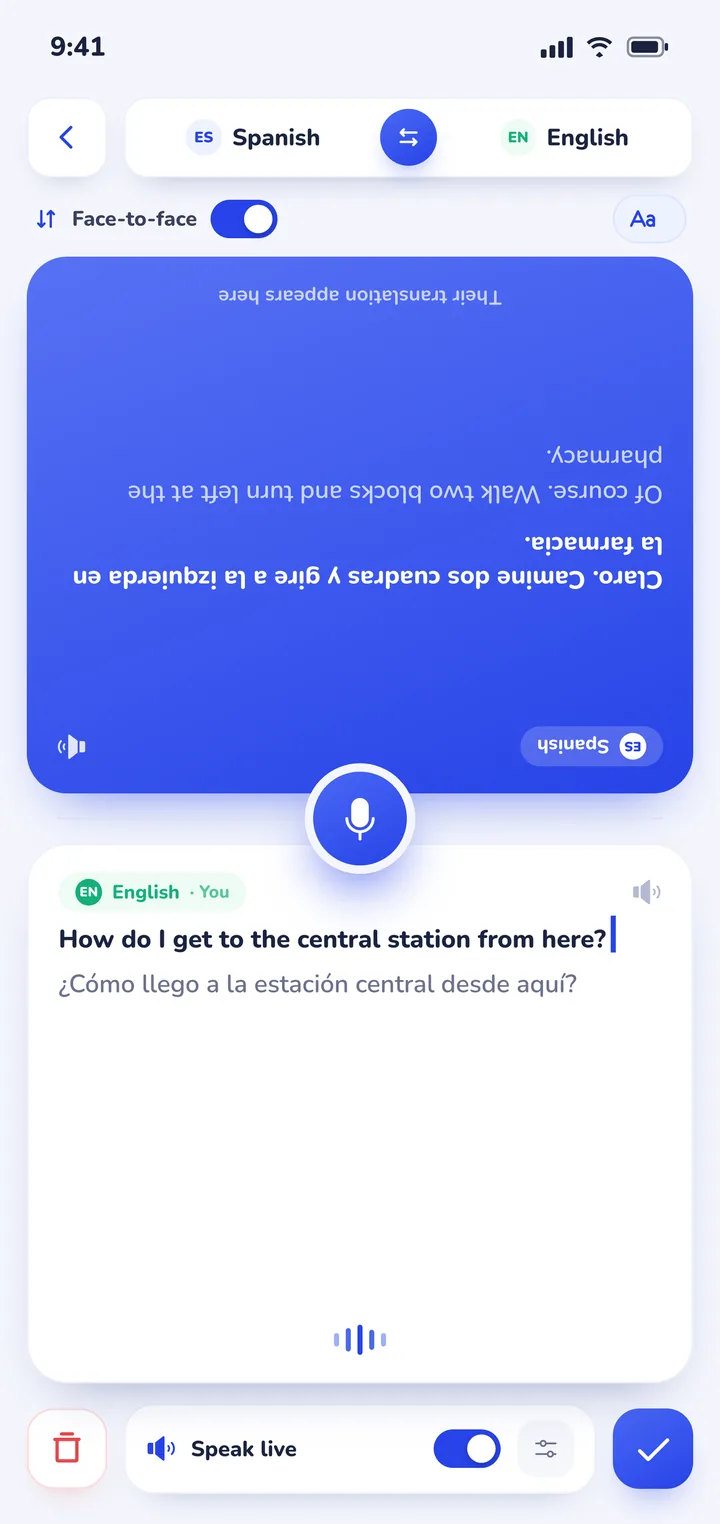
It supports more than 60 languages, fewer than Google Translate, and it's free to download with a daily allowance and no ads; Pro raises the limits. It runs on Android and iPhone, needs an internet connection and doesn't translate phone calls, so for a call or a conversation with no signal, your phone's built-in tools are the better choice.


Sources
- Google Translate Help, Hear live speech to speech translations with live translate, checked 3 November 2026.
- Samsung, Galaxy AI languages and usage guide, updated 1 July 2026, checked 3 November 2026.
- Apple Support, Translate in-person conversations with iPhone and Use Live Translation on iPhone, checked 3 November 2026.
Frequently asked questions
How do I use live translate on Android?
Open Google Translate, tap live translate, choose your two languages and a mode, then start talking. On a Samsung Galaxy phone you can also open Interpreter from the Quick Panel.
Does live translate work offline?
Sometimes. Apple Translate and Samsung Interpreter work offline for downloaded languages, and Google offers offline live translation on Pixel 9, 10 and 11 phones. Clawmium Translate needs an internet connection.
Is live translate free?
Google Translate's live translate is free, and the features built into iPhones and Galaxy phones cost nothing extra. Clawmium Translate is free to download with a daily allowance and no ads, and Pro raises the limits.
Can live translate translate phone calls?
Yes, on some phones. Samsung's Live Translate translates calls on Galaxy phones with Galaxy AI, and iPhones with Apple Intelligence have Live Translation in the Phone app. Clawmium Translate doesn't translate phone calls.
Which live translator supports the most languages?
Google says its live translate supports more than 70 languages. Clawmium Translate supports more than 60, and Papago 14. Apple and Samsung publish their lists in their apps.
Try a live conversation
Free to start. 60+ languages. Each person reads their own language.