What the app does
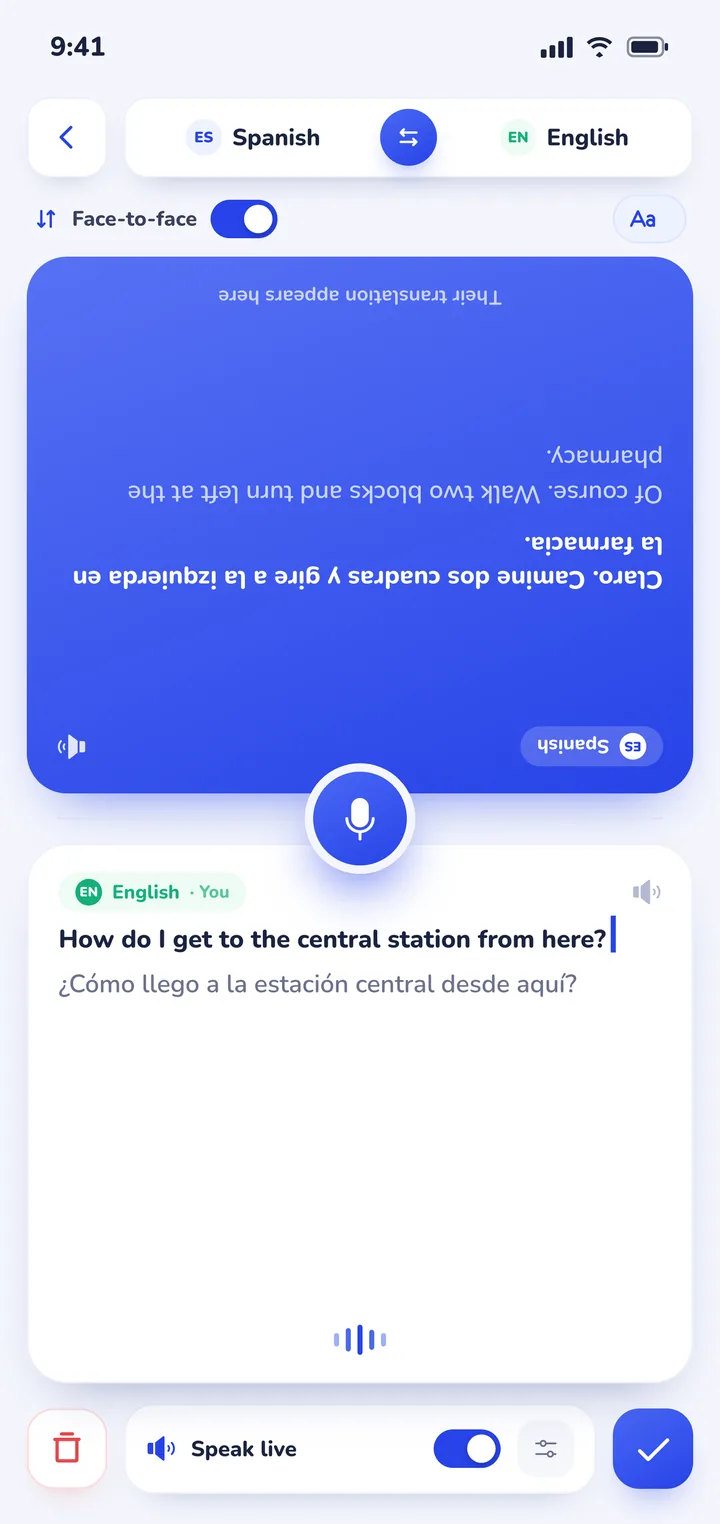
The main feature is live conversation translation. Two people put one phone between them, the screen splits in two, and each person reads the conversation in their own language as it happens. The app works out which of the two chosen languages is being spoken, so nobody presses a button before talking.
Around that sit the other features:
- Read-aloud, which speaks each translation with a natural voice.
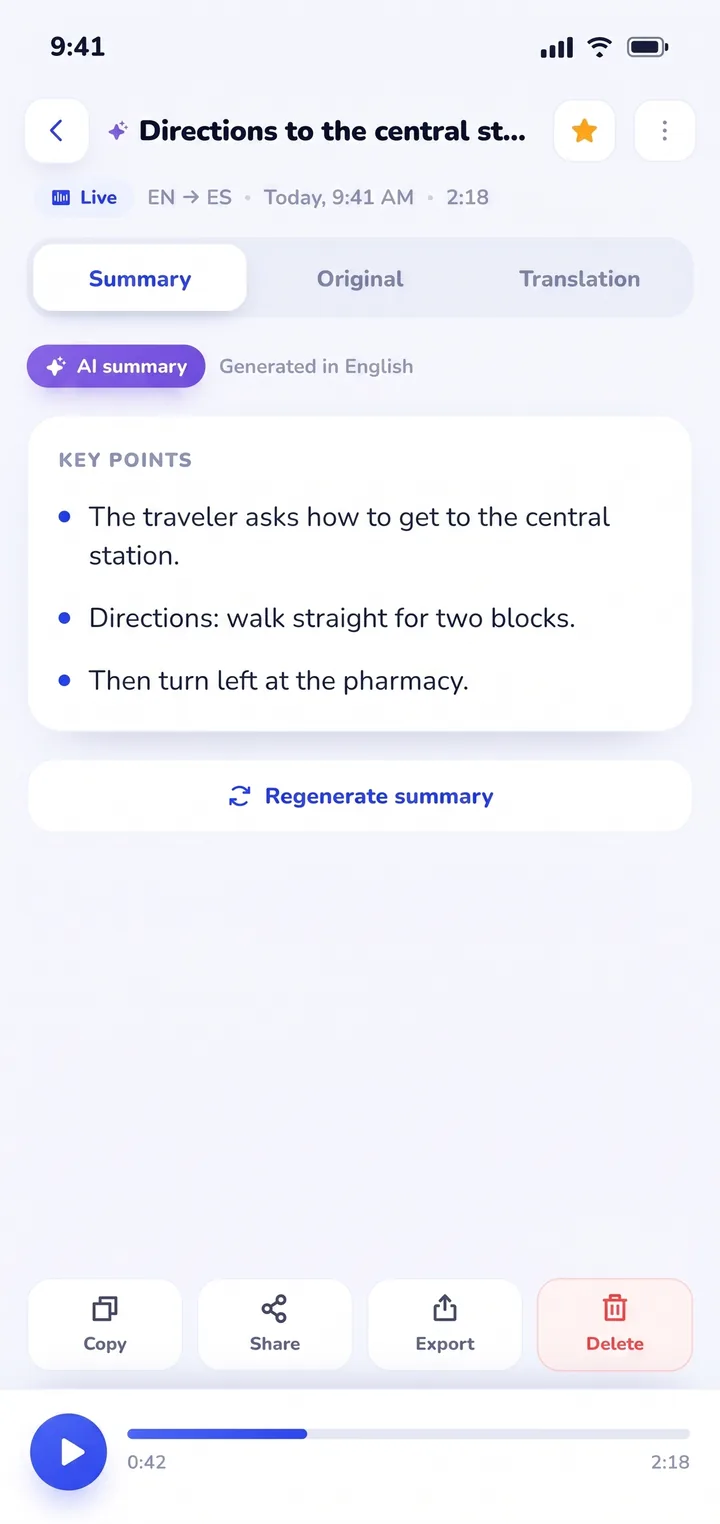
- Saved conversations, each with a transcript in both languages and an AI summary.
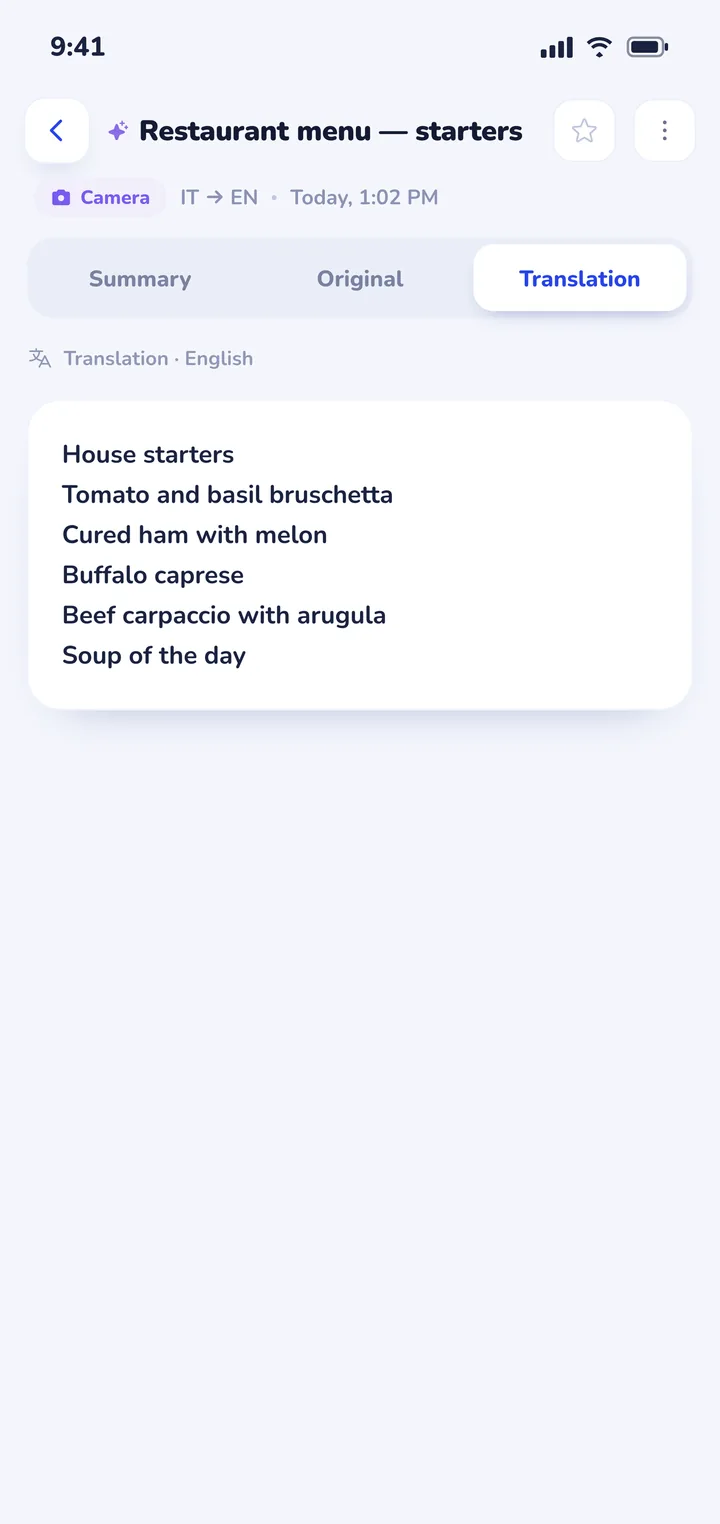
- Camera and photo translation for menus, signs and documents.
- Text translation.
The app supports more than 60 languages. It is free to download, with a daily allowance of live translation and no ads, and a Pro subscription adds more.
What it doesn't do
We would rather you know the limits before you rely on the app.
- It needs an internet connection. Live translation does not work offline.
- It does not translate phone calls. It is built for face-to-face conversations.
- Accuracy drops in loud places and when people talk over each other.
- It is not a substitute for a professional interpreter in legal or medical decisions.
Where to get it
Clawmium Translate is available on Android through Google Play and on iPhone through the Apple App Store.


How we write the guides on this site
The guides are written by the team that builds the app. We describe how live translation works from the way we build it, and we say where it falls short. When we cite research, we link or name the original source. When we describe other companies' features, we stick to what they have published and note that their features change. Each article shows the date it was last updated.