
Mit jedem sprechen. Jedes Wort verstehen.
Clawmium Translate ist ein Zwei-Wege-Echtzeitübersetzer. Jede Person liest in ihrer eigenen Sprache.
- Kostenlos herunterladen
- Sprache, Kamera und Fotos
Their language in. Yours on screen.
No passing a phone back and forth, no waiting for the sentence to end. Speech becomes text and is translated as it’s said, so the conversation keeps its pace.
They speak Spanish
You read English
Translating live
Saved to your history
Good evening. Do you have a reservation?
The kitchen closes at ten tonight.
I’ll bring the menu in English.

One conversation, two languages.
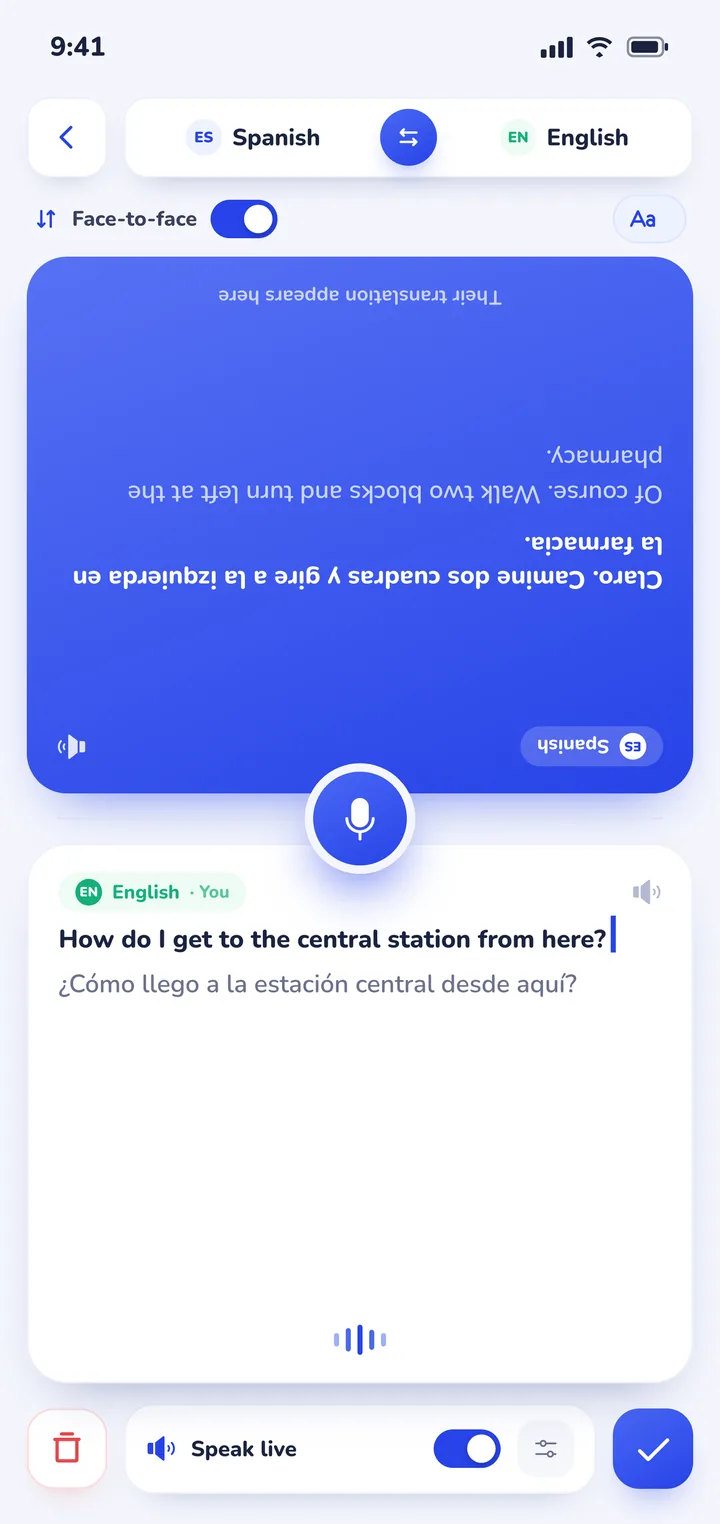
Put the phone between you. Each side of the screen shows one person’s language, and every turn is translated as it’s spoken.


Live translation as you talk
Speech becomes text and is translated while it’s still being said, not after the sentence ends.
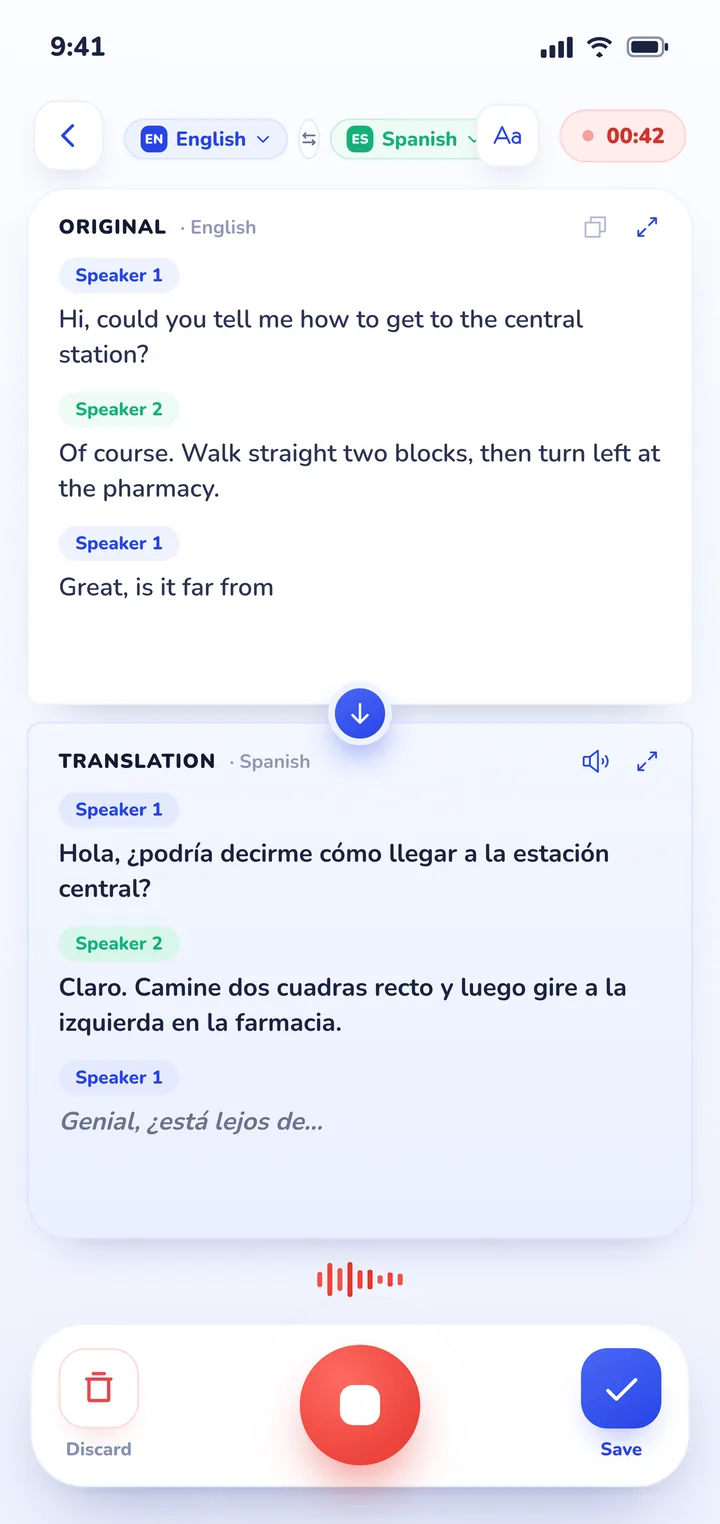
Each person reads their own side
Face-to-face mode splits the screen into two panes, so both of you read the conversation in your own language.
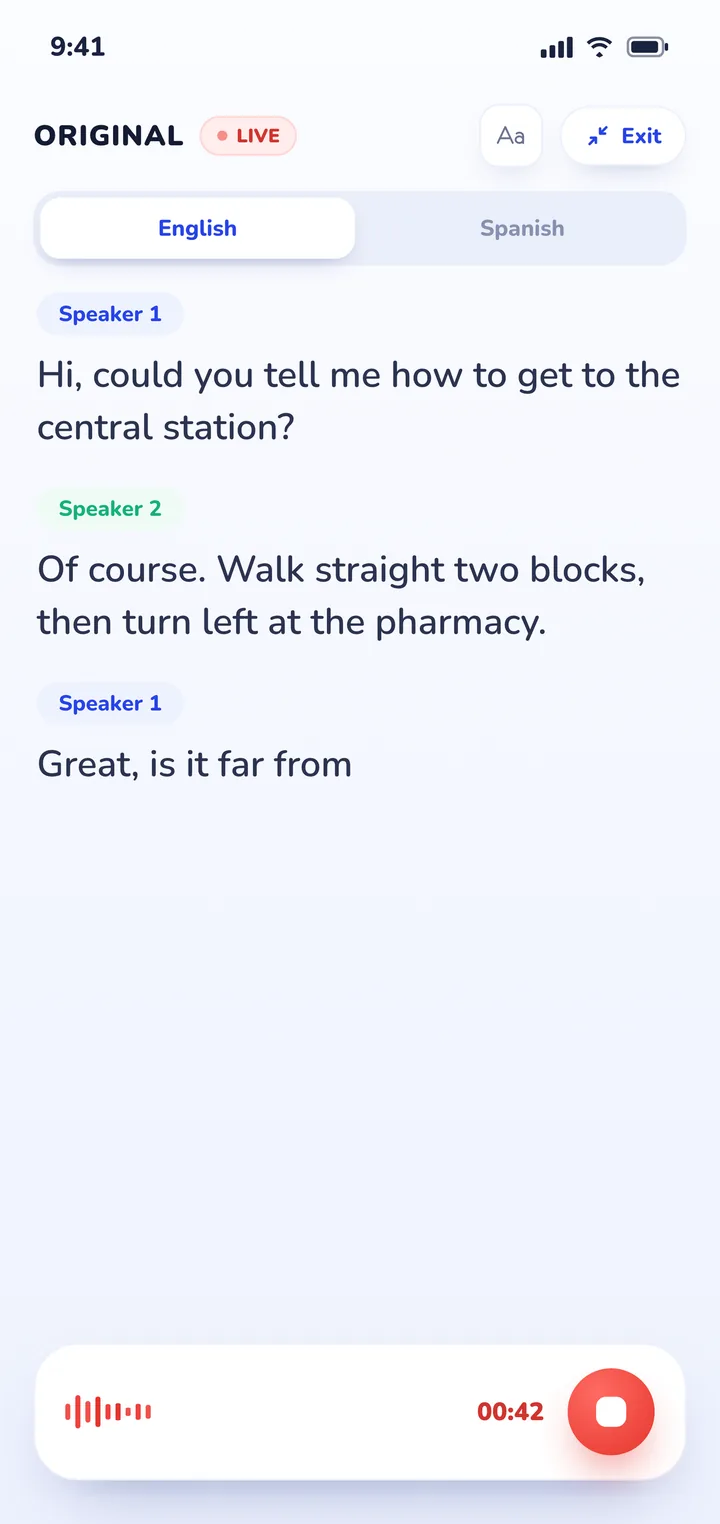
Knows who’s speaking
Speaker identification puts each person on their own line, so the transcript reads like the conversation it was.
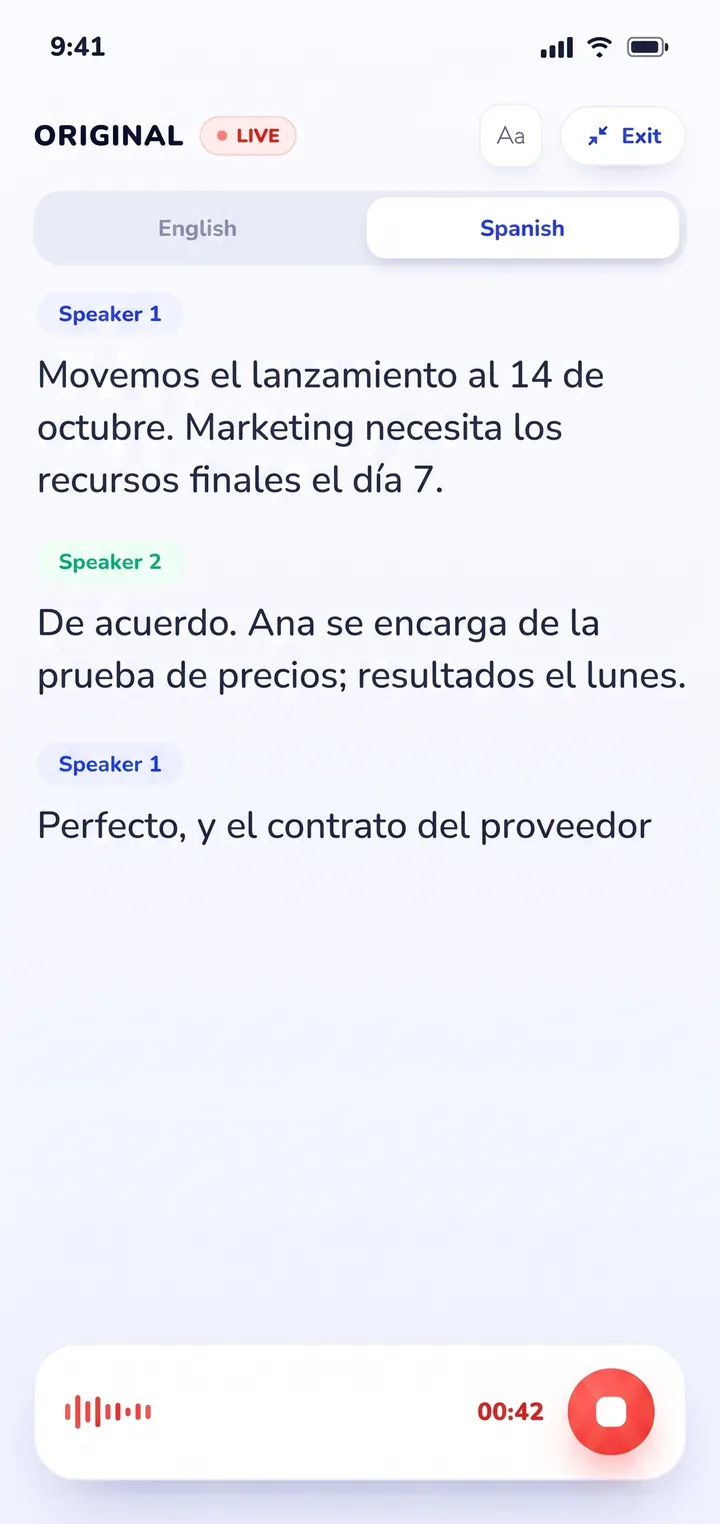
The original, one tap away
Every line keeps the original words alongside the translation. Press and hold to peek at what was actually said.
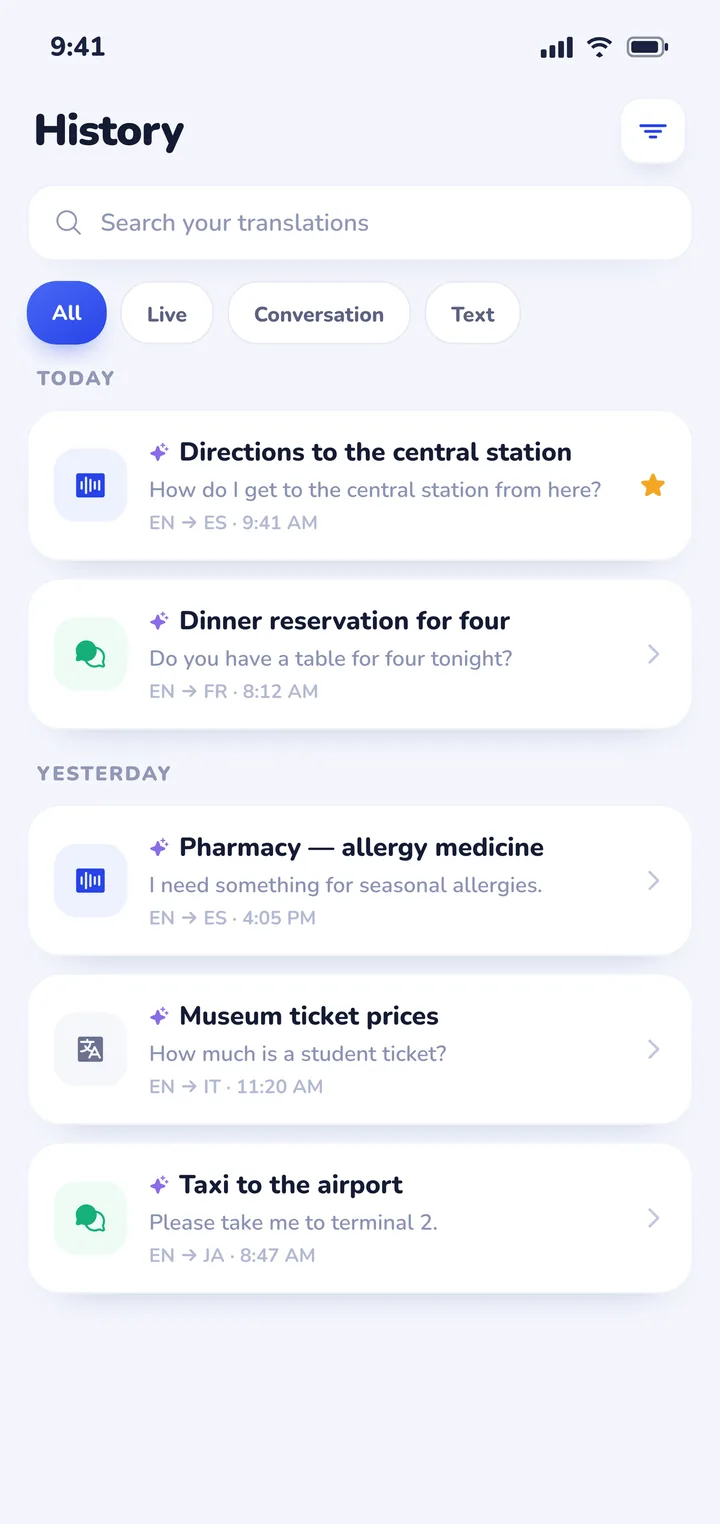
Saved when you’re done
The conversation goes to your history the moment it ends, ready to read again or share.
Perfect, thank you so much.
Everything it does.
Talk, listen, type or point the camera. Every mode saves to one searchable history.
Ways to translate
Face to face
Two panes, two languages. Each of you reads your own side.
Live captions
Meetings, lectures and tours, translated as they’re spoken.
Tap and speak
Say a phrase, get the translation instantly, play it out loud.
Type to translate
Type or paste, then copy, share or show it full screen.
Camera and photos
Menus, signs and forms, read in your language.
Documents
Open a PDF, image or text file and translate every page.
During the conversation
Speaker identification
Each person on their own line in the transcript.
Original text
Press and hold any line to see what was actually said.
Speak translations aloud
Each turn played out loud in the other language.
Speaker voices
A different voice for each speaker.
Transcript text size
Four steps, from small to extra large.
After it
AI summaries
A short summary of every saved conversation.
Searchable history
Auto-titled, searchable, and ready to share or export.
Wherever the language changes.
At the counter, around a new family’s table, in a lecture or on the street corner. Each line shows what was said, and what it means to you.
Face to face · two languages

¿Algo más con el café?
Anything else with the coffee?

Wer möchte das letzte Stück?
Who wants the last piece?

Bitte hier unterschreiben.
Please sign here.

Des questions au fond ?
Any questions at the back?

Até amanhã, à mesma hora?
Same time tomorrow?
Made for the moments a language gets in the way.

“A translator should let both people follow the whole conversation, not only the one holding the phone. That’s why each side reads its own language, and why the conversation stays with you afterwards.”
ITK Studio
The team behind Clawmium Translate
Travel
Ordering when the menu isn’t in your language, and asking what the dish actually is.
Study
Following a lecture or a group project in a language you’re still learning.
Family
Talking with relatives who speak the language you grew up half-hearing.
New country
Landlords, school meetings and front desks in your first year somewhere new.
Work
Talking with a customer or colleague who speaks another language.
Signs and letters
Pointing the camera at a sign, a label or a letter to read it in your own language.
Getting around
Asking for directions and actually understanding the answer.
Keeping it
Going back to a saved conversation to check what was agreed.
Three steps, then just talk.
Install it, pick your two languages, and put the phone between you.
-
Get the app
Download Clawmium Translate from Google Play and allow the microphone when it asks.
-
Pick your two languages
Choose yours and theirs. Swap them with one tap whenever the other person starts.
-
Talk. Read. Keep.
Speak normally. Each of you reads the other in your own language, and the conversation is saved when you finish.
Questions, answered plainly.
Still wondering about something? Contact us.
Ist die App kostenlos?
Der Download ist kostenlos, inklusive eines täglichen Freikontingents für Live-Übersetzungen ohne Werbung. Ein monatliches Pro-Abonnement erhöht die täglichen Limits; der aktuelle Preis wird vor dem Abschluss in der App angezeigt.
Was kann die App übersetzen?
Gesprochene Sprache in echten Zwei-Wege-Gesprächen sowie gedruckten Text über die Kamera oder aus Fotos, wie Speisekarten, Schilder und Briefe.
Wie funktioniert der Face-to-Face-Modus?
Der Bildschirm teilt sich in zwei Bereiche. Legen Sie das Smartphone zwischen sich und Ihr Gegenüber; jede Person liest die Unterhaltung in ihrer Sprache, während die andere spricht.
Werden meine Gespräche gespeichert?
Ja. Jede Sitzung wird mit einer KI-Zusammenfassung im Verlauf gespeichert, automatisch betitelt und durchsuchbar, sodass Sie sie später nachlesen, teilen oder exportieren können.
Wo werden meine Gespräche aufbewahrt?
Gespeicherte Sitzungen verbleiben ausschließlich lokal im Verlauf auf Ihrem Smartphone. Es gibt kein Benutzerkonto und keine Synchronisation mit unseren Servern. Audiodaten werden zur Transkription an den Sprachanbieter übertragen, und Sie können jede Sitzung jederzeit löschen.
Kann die Übersetzung laut vorgelesen werden?
Ja. Aktivieren Sie „Übersetzungen laut vorlesen“ in den Einstellungen und wählen Sie auf Wunsch für jede Person eine eigene Stimme.
Gibt es eine iPhone-Version?
Ja. Clawmium Translate ist für Android und iPhone über Google Play und den Apple App Store verfügbar.

Your next conversation can be the easy one.
Free to download on Android and iPhone. Pick two languages and start talking.
Questions or feedback?
Write to us by email. You can also send feedback from Settings inside the app.
Email
apps_console@itkingstudio.comGet the app
Google Play